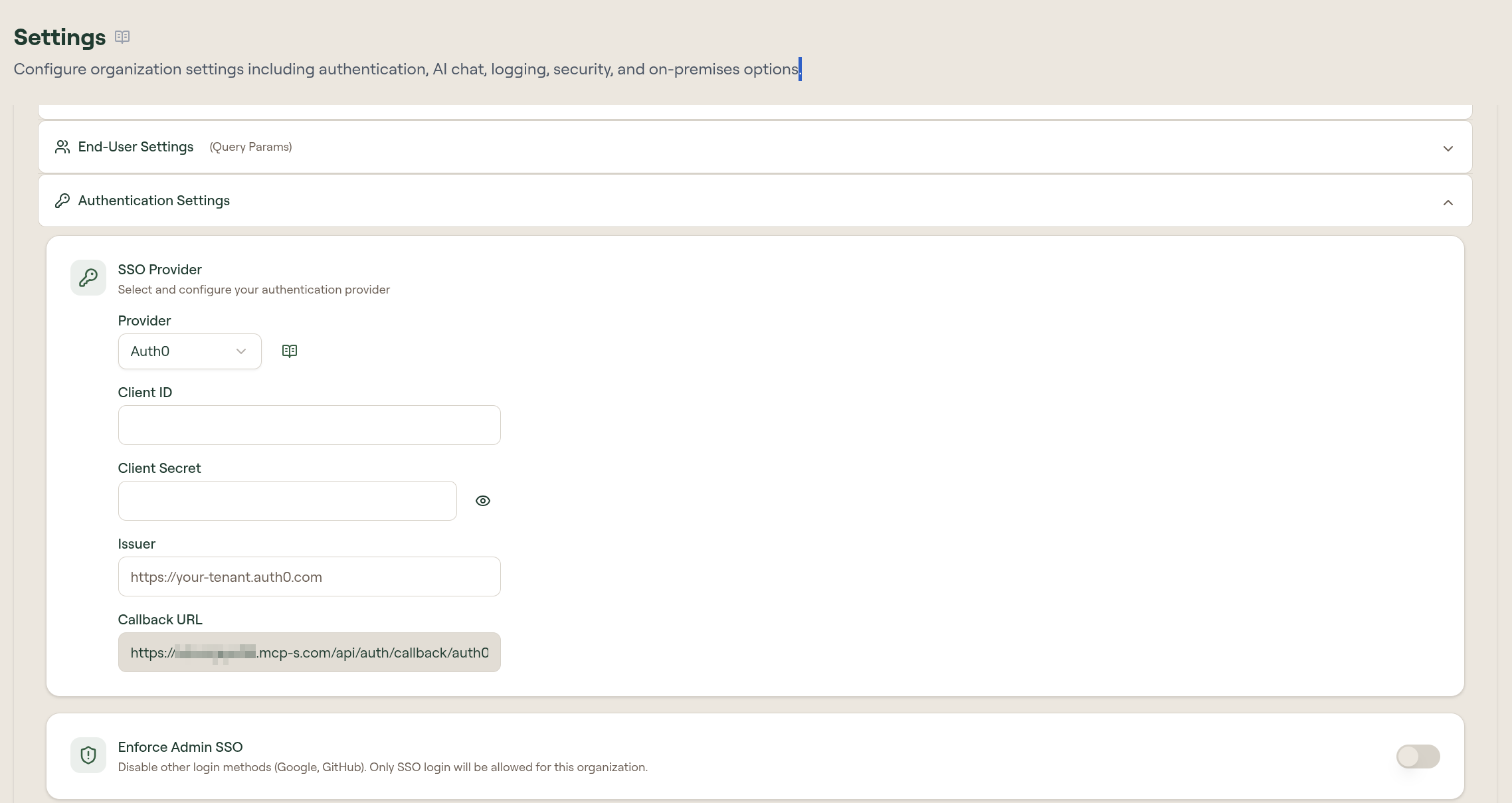
Configure Auth0
Set up Auth0 as your identity provider.
Before you start, find your callback URL on the Configure SSO page: {gatewayUrl}/api/auth/callback/auth0.
Create an application in Auth0
- In the Auth0 Dashboard, create a Regular Web Application
- Under Settings → Allowed Callback URLs, add
{gatewayUrl}/api/auth/callback/auth0 - Copy the Domain (used as Issuer), Client ID, and Client Secret
For more details, see Auth0's guide to registering regular web applications.
Finish in Willow
- Go to Admin → Settings → Authentication Settings
- On the SSO Provider card, select Edit
- Select Provider: Auth0
- Enter the Issuer (your Auth0 domain as a full URL including the
https://scheme, e.g.https://your-tenant.auth0.com), Client ID, and Client Secret - Select Save