Configure ADFS
Set up Active Directory Federation Services (ADFS) as your identity provider.
Requirement: ADFS 2016 or later (required for OIDC support).
Before you start, find your callback URL on the Configure SSO page: {gatewayUrl}/api/auth/callback/adfs.
1. Create an Application Group
- Open ADFS Management Console
- Right-click Application Groups → Add Application Group
- Enter a name (e.g. "Willow Integration")
- Select template: Server application accessing a web API
- Select Next
2. Configure the Server Application
- Note the Client Identifier (GUID); this is your Client ID
- Add Redirect URI:
{gatewayUrl}/api/auth/callback/adfs - Select Next
3. Generate a Client Secret
- Select Generate a shared secret
- Copy and save the Client Secret immediately (shown only once)
- Select Next
4. Configure the Web API
- Set Identifier to the same Client ID from step 2
- Choose your Access Control Policy
- Select Next
5. Configure Application Permissions
Check these scopes: openid, email, profile → select Next, then Close.
6. Configure Claims
- Right-click your Application Group → Properties
- Select the Web API → Edit
- Go to Issuance Transform Rules → Add Rule → Send LDAP Attributes as Claims
- Map:
E-Mail-Addresses→emailDisplay-Name→nameUser-Principal-Name→upn
- Select OK
For more details, see Microsoft's guide to AD FS OpenID Connect/OAuth flows and application scenarios.
Finish in Willow
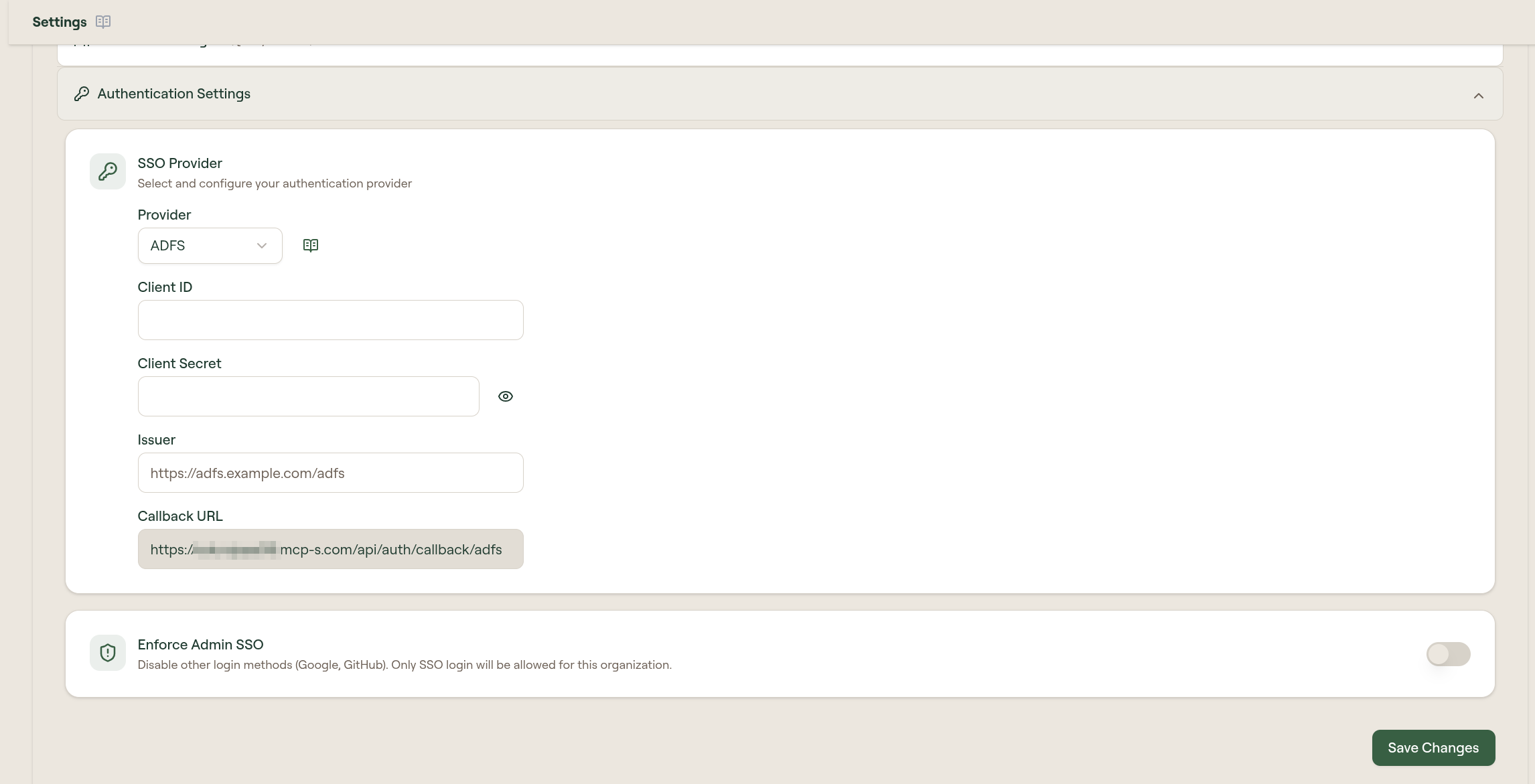
- Go to Admin → Settings → Authentication Settings
- On the SSO Provider card, select Edit
- Select Provider: ADFS
- Enter:
- Client ID: the GUID from step 2
- Client Secret: the secret from step 3
- Issuer:
https://adfs.example.com/adfs
- Select Save
Troubleshoot
- Verify the issuer URL ends with
/adfs - Test OIDC discovery: visit
{issuer}/.well-known/openid-configuration. You should get a JSON response. - Ensure claim rules are configured (email, name, upn)
- Pre-2016 ADFS only supports SAML, which is not compatible with Willow