Configure Okta
The Willow OIN app provides SSO and SCIM provisioning in a single integration. If you want both (recommended for most organizations), follow the SCIM Provisioning with Okta guide instead: it covers the full SSO + SCIM setup in one place. This page covers SSO only.
Set up Okta as your identity provider using the Willow app in the Okta Integration Network (OIN).
Supported features
SSO features
- SP-initiated SSO
- IdP-initiated SSO
Before you start, note your Okta redirect URI: {gatewayUrl}/api/auth/callback/okta.
- SaaS:
https://acme-corp.withwillow.ai/api/auth/callback/okta - On-Premise:
{CONNECT_URL}/api/auth/callback/okta
Add the Willow integration in Okta
- Sign in to your Okta Admin Console at
https://{your-org}-admin.okta.com/admin/apps/add-app - Navigate to Applications and Resources → Applications, then select Browse App Catalog
- Search for Willow and select + Add Integration
- Fill in the application details:
- Application label: "Willow" (recommended)
- Willow Admin URL:
app.withwillow.ai(SaaS) or yourAPP_URL(On-Premise) - Willow Connect URL: your Willow gateway URL, shown in the app (SaaS) or your
CONNECT_URL(On-Premise)
- Select Done
Configure SSO in Okta
- In the Willow app on Okta, go to the Sign On tab
- Select Edit
- Set Application username format to Email
- Select Save
- Copy the Client ID and Client Secret (shown on the Sign On tab for OIN OIDC apps)
For more details, see Okta's guide to adding app integrations from the catalog and assigning users to applications.
Finish in Willow
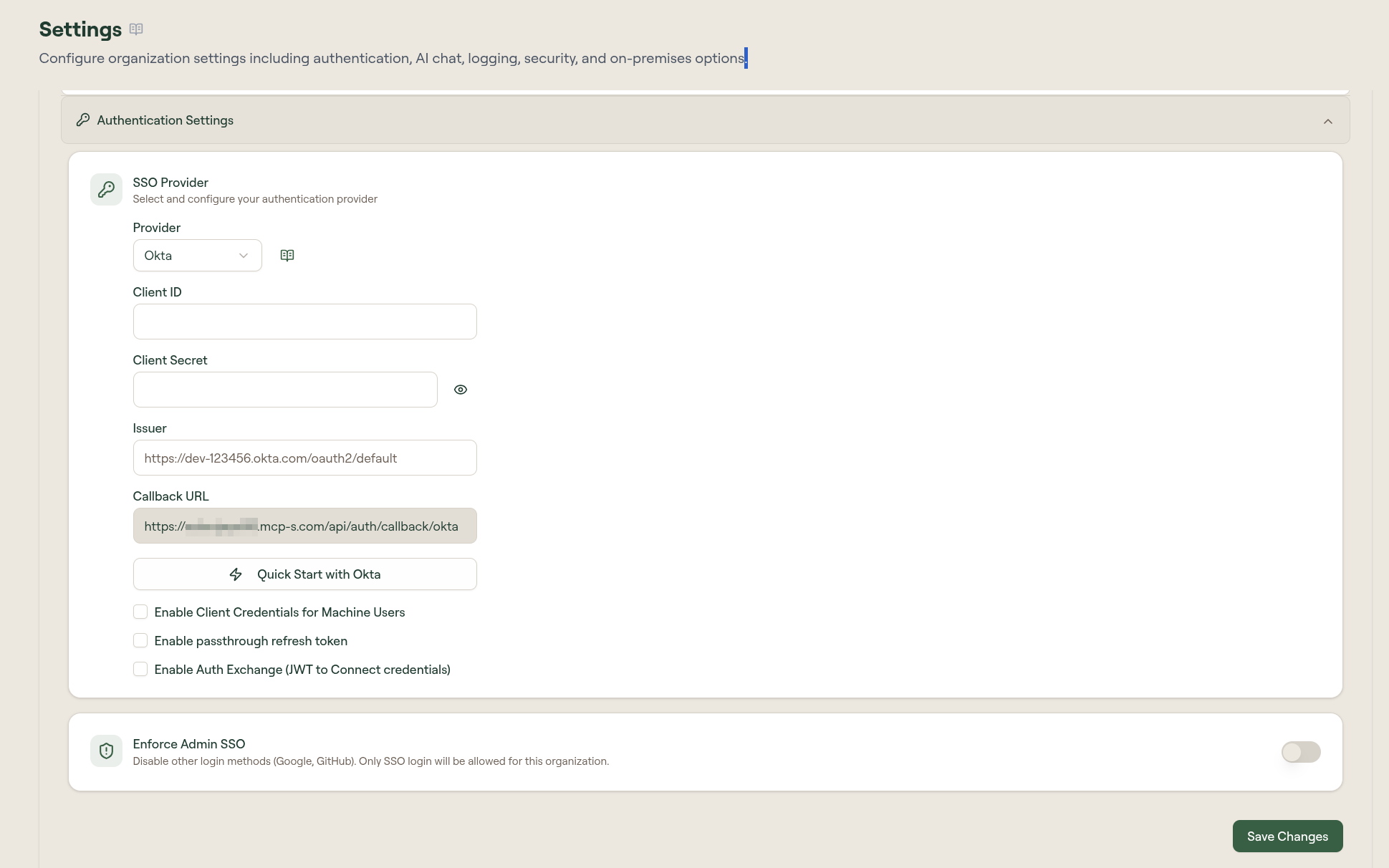
- Go to Admin → Settings → Authentication Settings
- On the SSO Provider card, select Edit
- Select Provider: Okta
- Enter:
- Client ID and Client Secret from the previous step
- Issuer: your Okta org authorization server URL, which is your Okta domain with no path (e.g.
https://dev-123456.okta.com). Use the domain without the-adminsuffix (for example,acme-corp.okta.com, notacme-corp-admin.okta.com). Do not add a custom authorization server path such as/oauth2/default: the Willow app from the OIN catalog cannot use a custom authorization server, and sign-in fails withThis client cannot use a custom authorization server.
- Select Save
Advanced options
After saving, three optional settings are available beneath the credential fields:
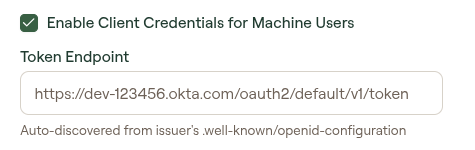
Enable Client Credentials for Machine Users: lets machine users reach internal MCP servers that use proxy passthrough, by minting an OAuth token from this provider on their behalf (see Machine Users). When enabled, a Token Endpoint field appears, auto-discovered from your issuer's .well-known/openid-configuration.
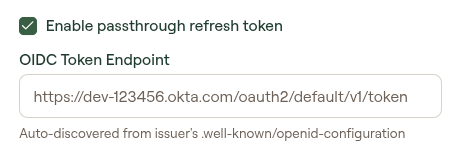
Enable passthrough refresh token: forwards the user's SSO JWT to internal MCP servers automatically. When enabled, an OIDC Token Endpoint field appears, auto-discovered. See JWT Passthrough for the full setup.
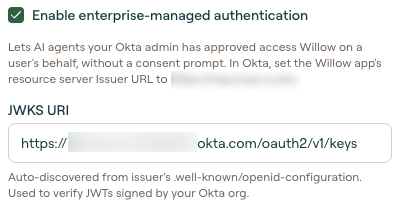
Enable enterprise-managed authentication: lets Claude connect to Willow on behalf of your users through Okta, with no sign-in prompt (see Enterprise-Managed Authentication), and enables the auth exchange API. When enabled, a JWKS URI field appears, auto-discovered.
Assign users or groups
In the Okta Admin Console, open the Willow app → Assignments tab → Assign → select users or groups.
After SSO is working, configure SCIM provisioning to automate user and group lifecycle management between Okta and Willow. When SCIM is active, Okta creates, updates, and deprovisions users and groups automatically. See SCIM Provisioning with Okta for step-by-step instructions.