SCIM Provisioning
SCIM (System for Cross-domain Identity Management) automates user and group lifecycle management between your identity provider and Willow. When configured, your IdP creates, updates, and deprovisions users and groups in Willow automatically, with no manual admin work required.
What SCIM does in Willow
When a user is assigned to the Willow app in your IdP:
- Willow creates the user account automatically
- User attributes (name, email) stay in sync when changed in the IdP
- When the user is unassigned or deprovisioned in the IdP, Willow deactivates their account
Group push syncs IdP groups to Willow, enabling group-based access control.
Prerequisites
- SSO must already be configured in Willow (SCIM uses a separate API token, not the SSO credentials)
- You need admin access in both Willow and your IdP
SCIM base URL and authentication
All SCIM endpoints are under /scim/v2.
- SaaS:
https://app.withwillow.ai/scim/v2 - On-Premise:
{your-app-url}/scim/v2
Authentication uses an API token in the Authorization header:
Authorization: Bearer <YOUR_API_TOKEN>
Generate a SCIM API token
- In Willow, go to Admin → API Tokens
- Select Generate Token
- Enter a descriptive Token Name (e.g. "Okta SCIM Integration")
- Under Permissions, select the SCIM scope ("SCIM user and group provisioning")
- Select Generate
- Copy the token immediately; it is shown only once
Select a provider
Willow supports SCIM provisioning through Okta and JumpCloud. Select your provider to continue:
SCIM with Okta
How to configure SSO and SCIM provisioning between Okta and Willow using the Willow app in the Okta Integration Network.
SCIM with JumpCloud
How to configure SCIM provisioning between JumpCloud and Willow for automated user and group lifecycle management.
For the complete SCIM API reference (endpoints, request and response examples, error codes), see the SCIM API reference.
Monitor SCIM logs
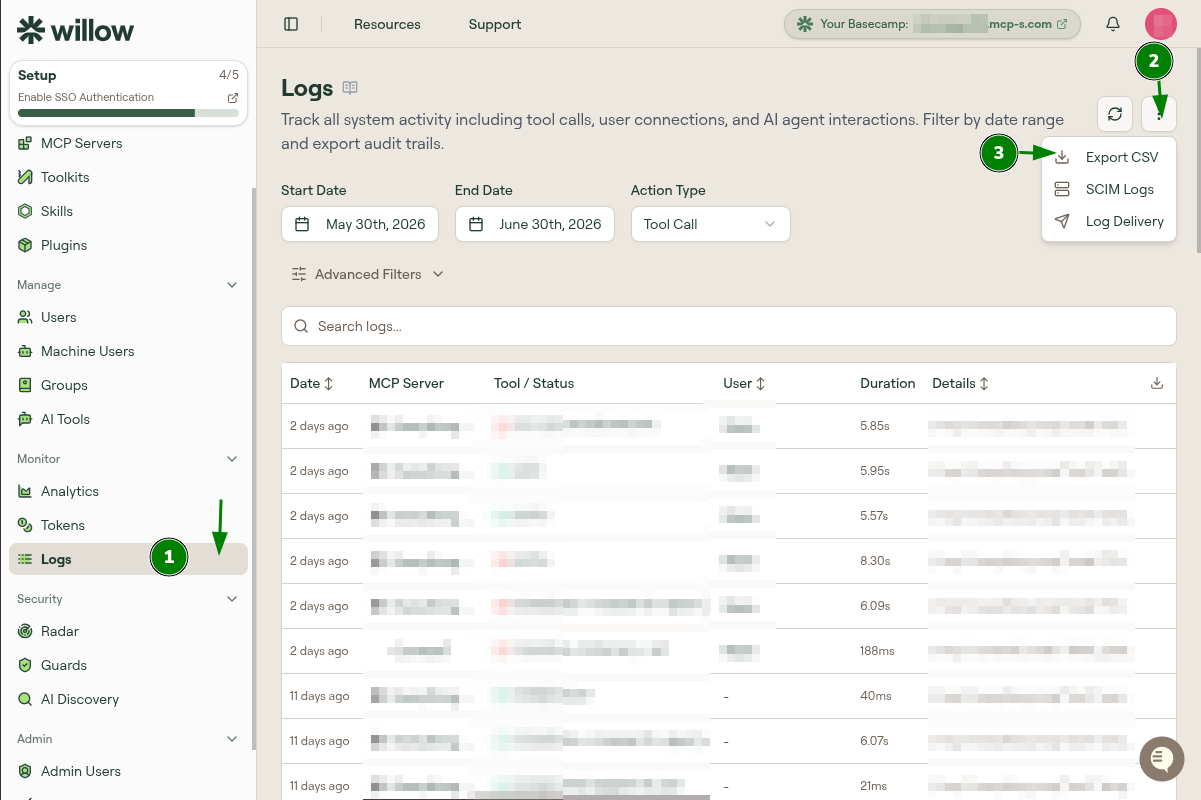
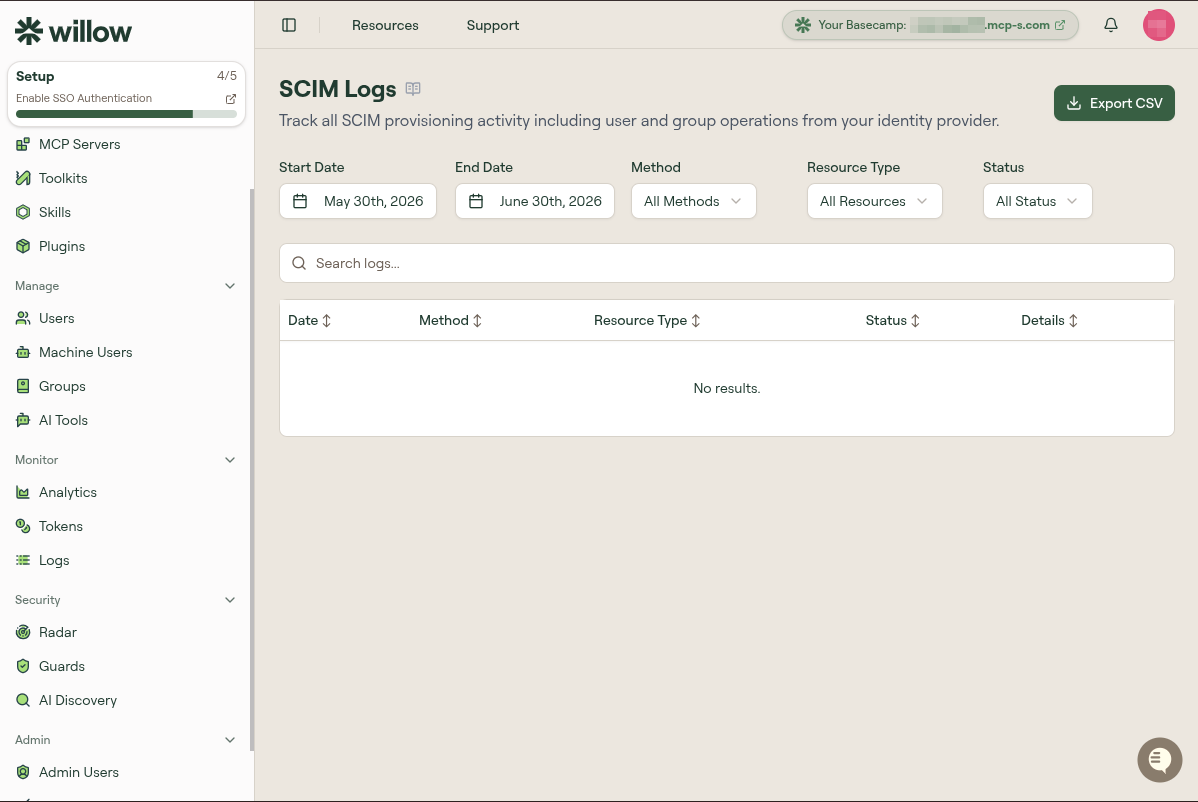
Willow logs all SCIM provisioning operations from your IdP. To access them, go to Admin → Logs, select the options menu (three-dot button at the top right), and choose SCIM Logs. On SaaS, you can open the page directly at app.withwillow.ai/monitor/scim-logs.
What is logged
- User operations: create, update, deactivate
- Group operations: create, update, delete membership
- Configuration queries: ServiceProviderConfig, Schemas, ResourceTypes
- Request and response details: full payloads for debugging
Filter logs
Filter by Date Range, HTTP Method (GET, POST, PATCH, PUT, DELETE), Resource Type (User, Group, Config, Schema), or Status Code (2xx, 4xx, 5xx).
Export logs
Select Export CSV to download all filtered logs for offline analysis or compliance reporting.
Troubleshoot
Connection test fails
- Verify the API token is correct and copied without extra whitespace
- Ensure the SCIM base URL is reachable from your IdP's network
- Confirm URLs were entered without a trailing slash (Okta OIN)
Users not syncing
- Confirm users are assigned to the Willow app (directly or via an assigned group)
- Check that Create Users is enabled under Provisioning → To App
- Review your IdP's provisioning logs for error messages
Group sync issues
- Groups must be both assigned and pushed (Okta) or covered by the Identity Management config (JumpCloud)
- Verify groups have members before syncing
- Check provisioning logs for group operation errors