SCIM Logs
The SCIM Logs page tracks all SCIM provisioning activity, including user and group operations, performed by your identity provider. Reach it from the Logs page: open the overflow (three-dot) menu and select SCIM Logs.
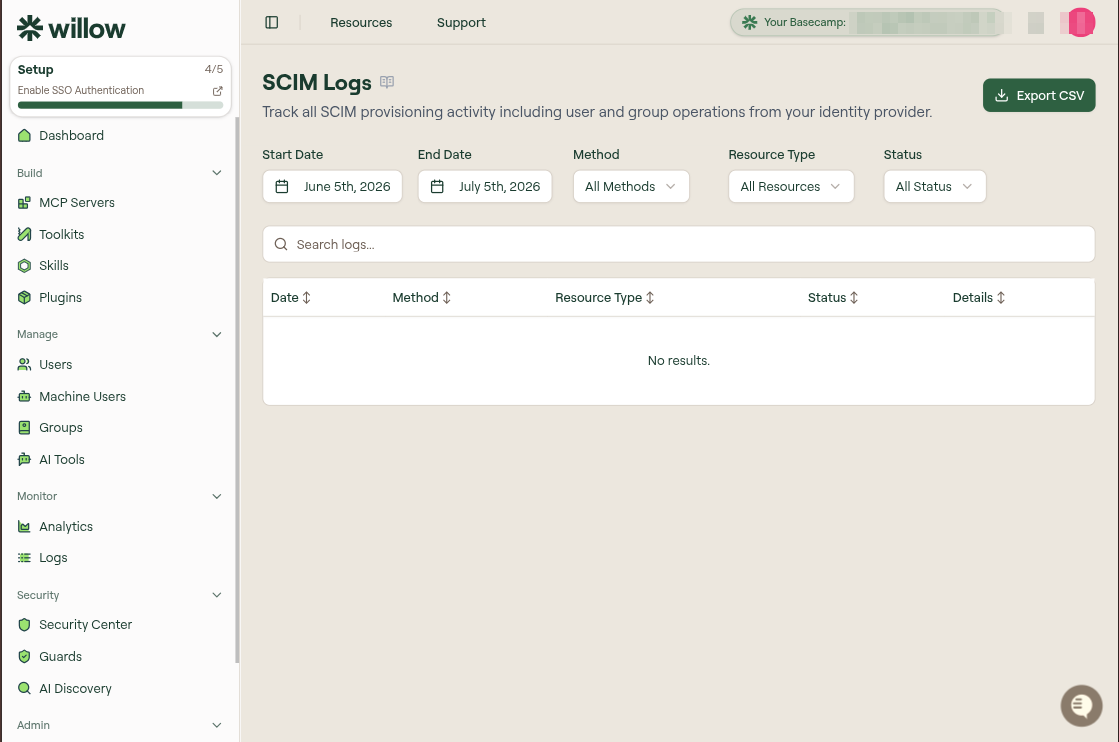
SCIM (System for Cross-domain Identity Management) is the standard protocol for automating the exchange of user identity information between systems. This page logs every SCIM request your identity provider makes to your Willow deployment.
What is logged
| Category | Includes |
|---|---|
| User operations | Creating, updating, and deleting users. |
| Group operations | Managing groups and group memberships. |
| Configuration queries | ServiceProviderConfig, Schemas, and ResourceTypes requests. |
| Request and response details | Full request and response payloads for debugging. |
Filters
- Start Date and End Date set the window of activity to show.
- Search logs does a free-text search across the entries.
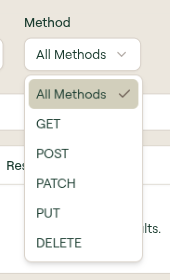
Method filters by HTTP method:
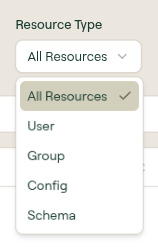
Resource Type filters by the kind of resource:
Status filters by the HTTP status class returned:
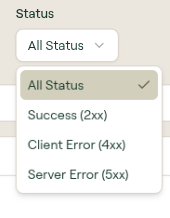
Table columns
| Column | Description |
|---|---|
| Date | When the request was made. |
| Method | The HTTP method used (GET, POST, PATCH, PUT, DELETE). |
| Resource Type | The type of resource accessed (User, Group, Config, Schema). |
| Status | The HTTP status code returned. |
| Details | Select to view the full request and response payloads. |
Export logs
Select Export CSV at the top right to download the currently filtered logs for offline analysis or compliance reporting.
Troubleshooting
| Status | Meaning and fix |
|---|---|
| 401 Unauthorized | Check that your IdP is using the correct SCIM bearer token configured in your Willow settings. |
| 404 Not Found | The user or group being accessed does not exist in Willow. This can happen if the resource was deleted outside of SCIM. |
| 409 Conflict | Attempting to create a user that already exists. Check for duplicate email addresses. |
| 500 Server Error | An internal error occurred. Check the response details and contact support if it persists. |
What to do next
- Logs: tool calls, connections, and agent activity
- SCIM Provisioning: configure your identity provider
- SCIM API Reference: the underlying SCIM API