Log Delivery
The Log Delivery page tracks the delivery of audit logs to your configured log providers (Splunk, Grafana Loki, Coralogix, CrowdStrike, Panther, Artemis, Google SecOps, AWS S3, and Webhook) and shows whether each delivery succeeded or failed. Reach it from the Logs page: open the overflow (three-dot) menu and select Log Delivery.
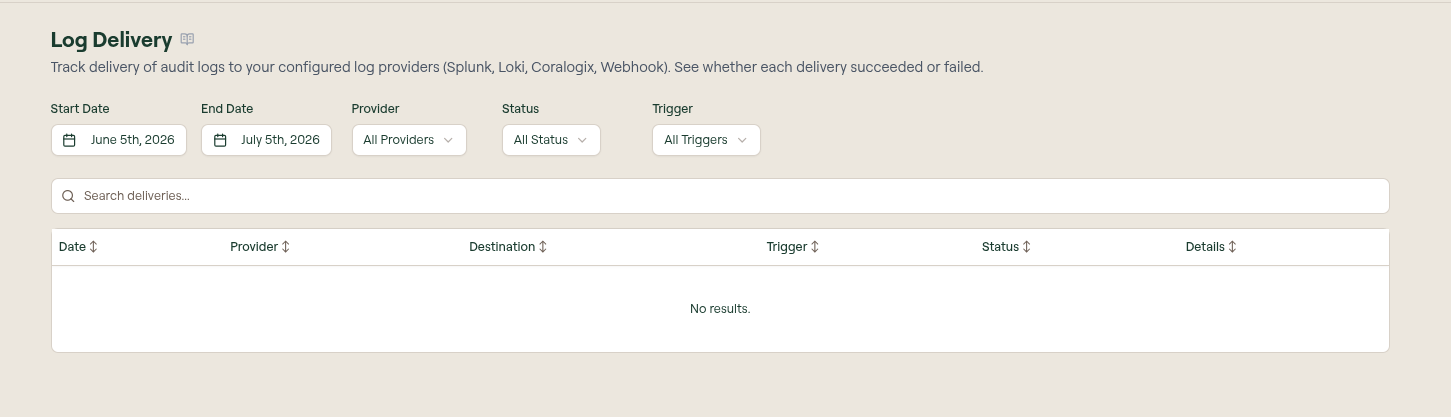
Providers are configured under Settings › Logs. This page is the delivery history for those providers: use it to confirm logs are reaching your SIEM and to diagnose failed deliveries.
Filters
- Start Date and End Date set the window of deliveries to show.
- Provider filters to a single configured log provider.
- Status filters by outcome (a delivery either succeeded or failed).
- Trigger filters by what initiated the delivery.
- Search deliveries does a free-text search across the entries.
Table columns
| Column | Description |
|---|---|
| Date | When the delivery was attempted. |
| Provider | The configured log provider the logs were sent to. |
| Destination | The endpoint the logs were delivered to. |
| Trigger | What initiated the delivery. |
| Status | Whether the delivery succeeded or failed. |
| Details | Select to inspect the delivery, including any error returned by the provider. |
What to do next
- Settings › Logs: add and configure log providers
- Logs: the underlying tool-call and connection activity
- SCIM Logs: identity-provisioning events