SCIM with Okta
Willow has an official integration in the Okta Integration Network (OIN). The same app handles both SSO and SCIM, so this guide covers both. If you only need SSO, see Configure Okta.
Supported features
SCIM features
- Import Users
- Create Users
- Update User Attributes
- Deactivate Users
- Group Push
For supported SSO features, see Configure Okta.
Prerequisites
Before you begin, ensure you have:
- An Okta admin account
- Your Willow Admin URL (e.g.
app.withwillow.ai, orwillow-admin.<your-domain>.comfor On-Premise) - Your Willow Connect URL (e.g.
acme-corp.withwillow.ai, orwillow-dashboard.<your-domain>.comfor On-Premise) - A SCIM API token — see Generate a SCIM API token in the SCIM provisioning overview
1. Add the Willow integration
- In the Okta Admin Console, go to Applications → Browse App Catalog
- Search for Willow and select Add Integration
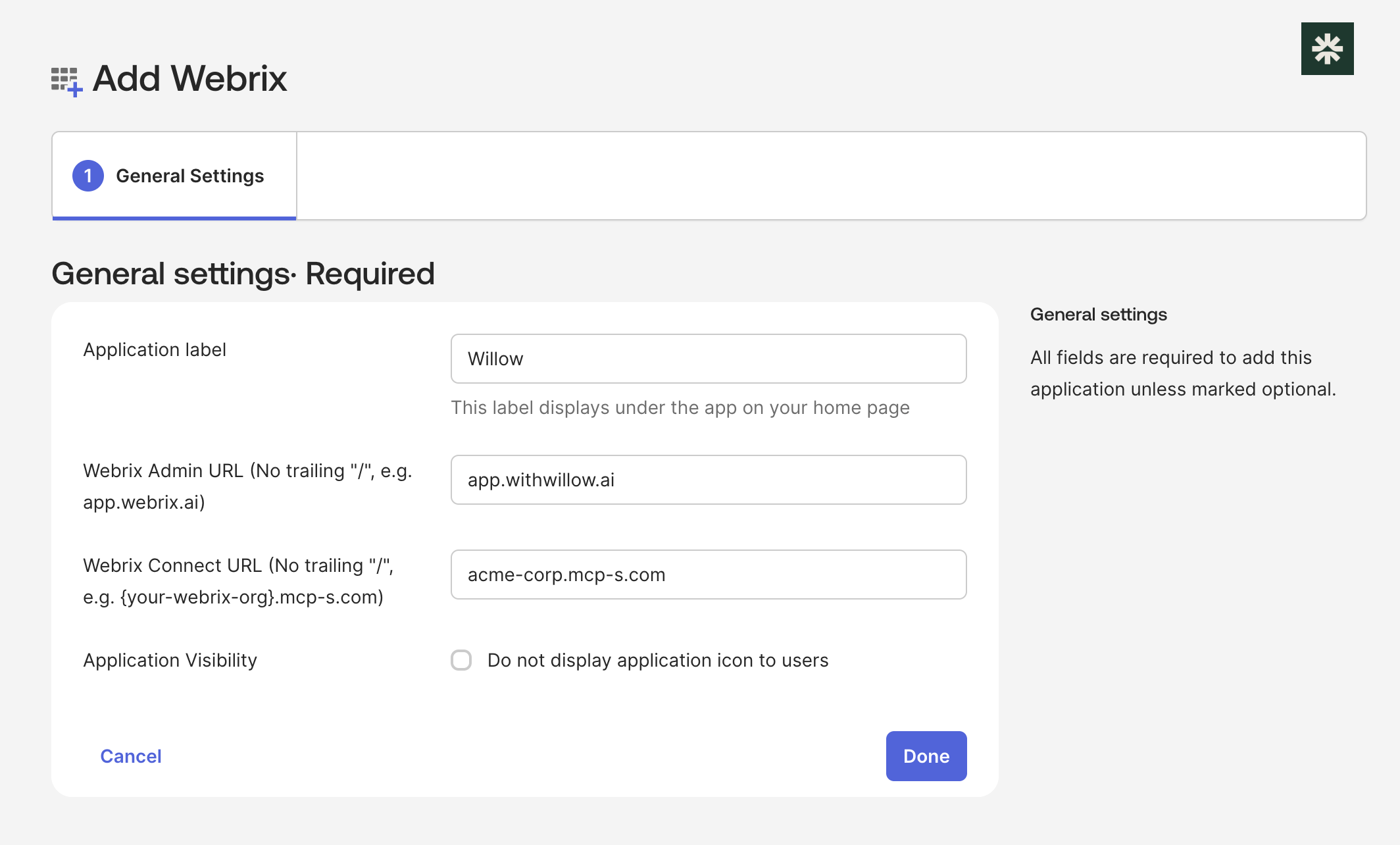
- Fill in:
- Application label: "Willow" (recommended)
- Willow Admin URL: your admin URL without a trailing
/ - Willow Connect URL: your connect URL without a trailing
/
- Select Done
2. Configure SSO
- In the Willow app on Okta, go to the Sign On tab
- Select Edit
- Set Application username format to Email
- Select Save
- Copy the Client ID and Client Secret
Then finish in Willow:
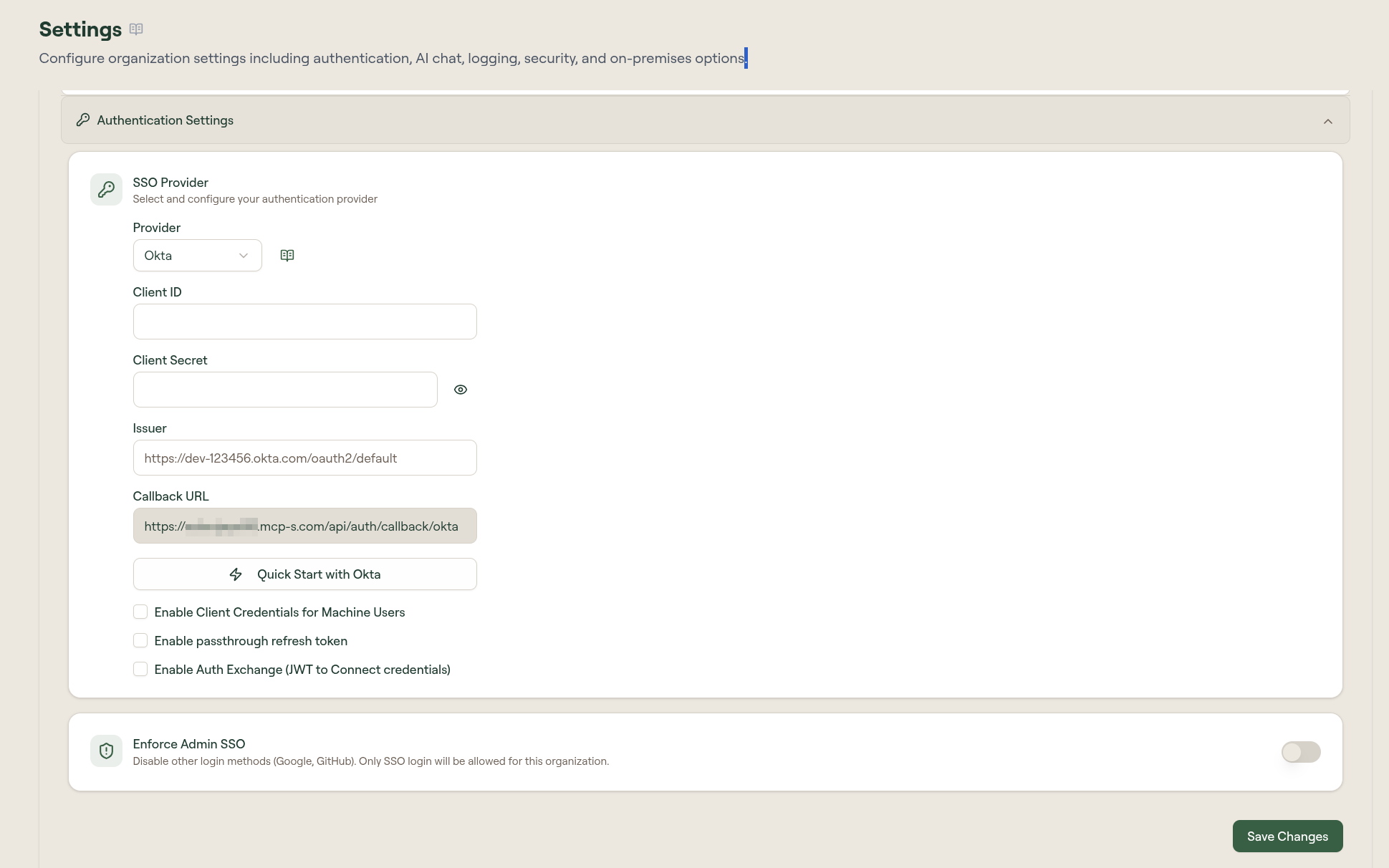
- Go to Admin → Settings → Authentication Settings
- Select Provider: Okta
- Enter the Client ID, Client Secret, and your Issuer URL. Use the org authorization server: your Okta domain with no path (e.g.
https://dev-123456.okta.com), without the-adminsuffix (for example,acme-corp.okta.com, notacme-corp-admin.okta.com). Do not add a/oauth2/defaultpath; the Willow OIN app cannot use a custom authorization server. - Select Save Changes
For advanced SSO options (client credentials, passthrough refresh token, auth exchange), see Configure Okta.
3. Configure the SCIM connector
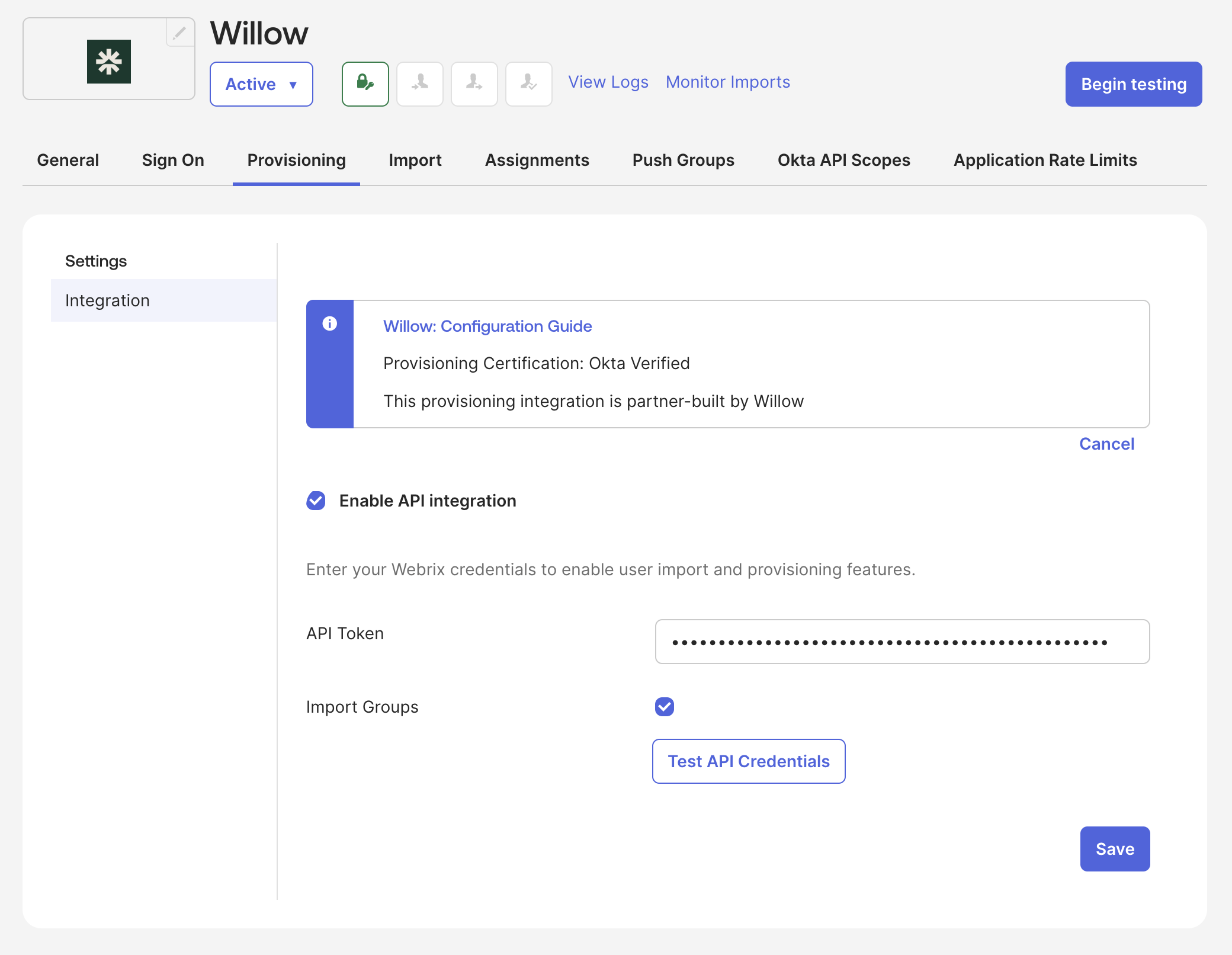
- Open the Provisioning tab → Integration
- Check Enable API integration
- Paste your SCIM API token into API Token
- Keep Import Groups enabled to sync Willow groups into Okta
- Select Test API Credentials; if it succeeds, select Save
4. Enable provisioning actions
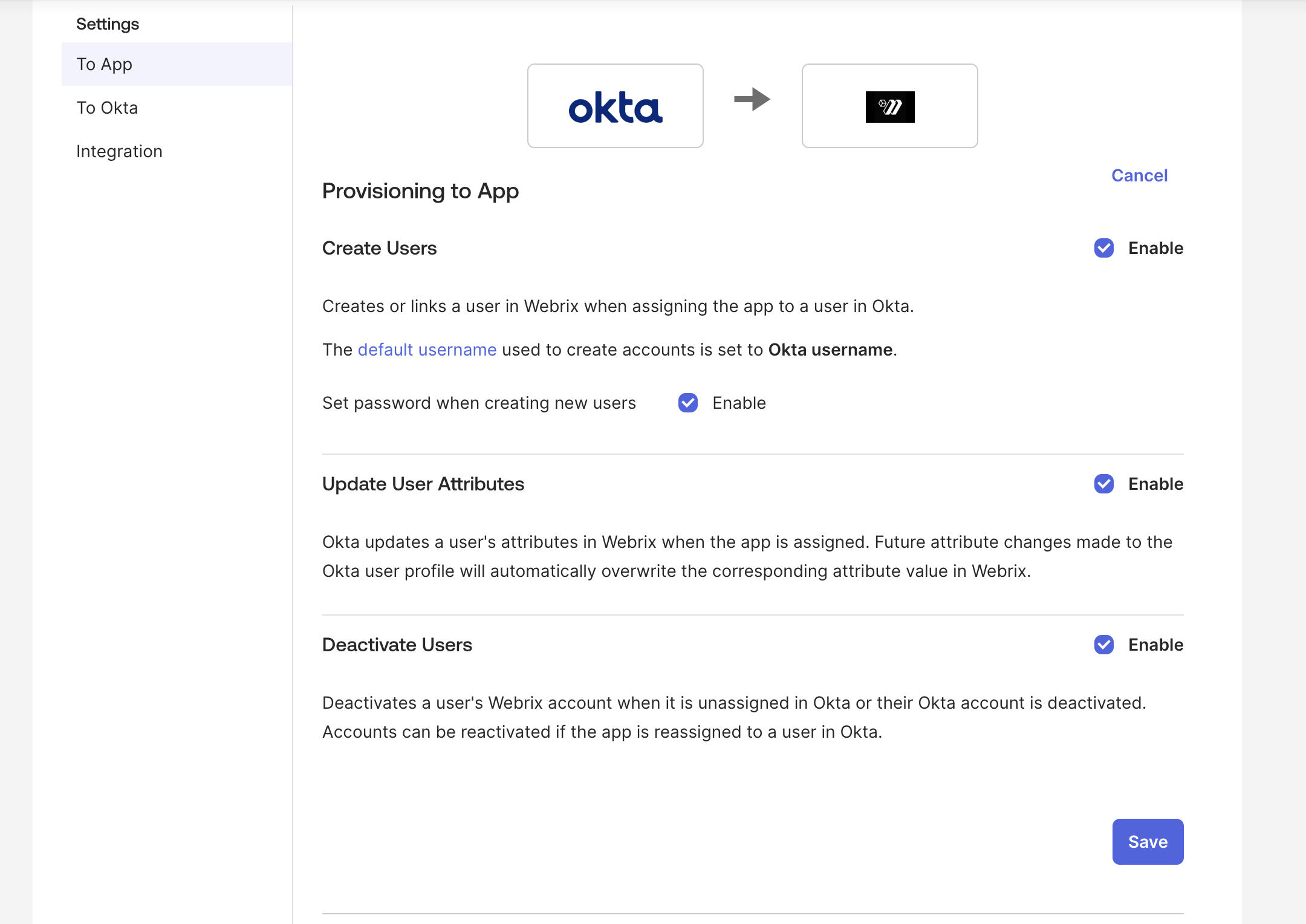
- In Provisioning → To App, select Edit
- Enable:
- Create Users
- Update User Attributes
- Deactivate Users
- Select Save
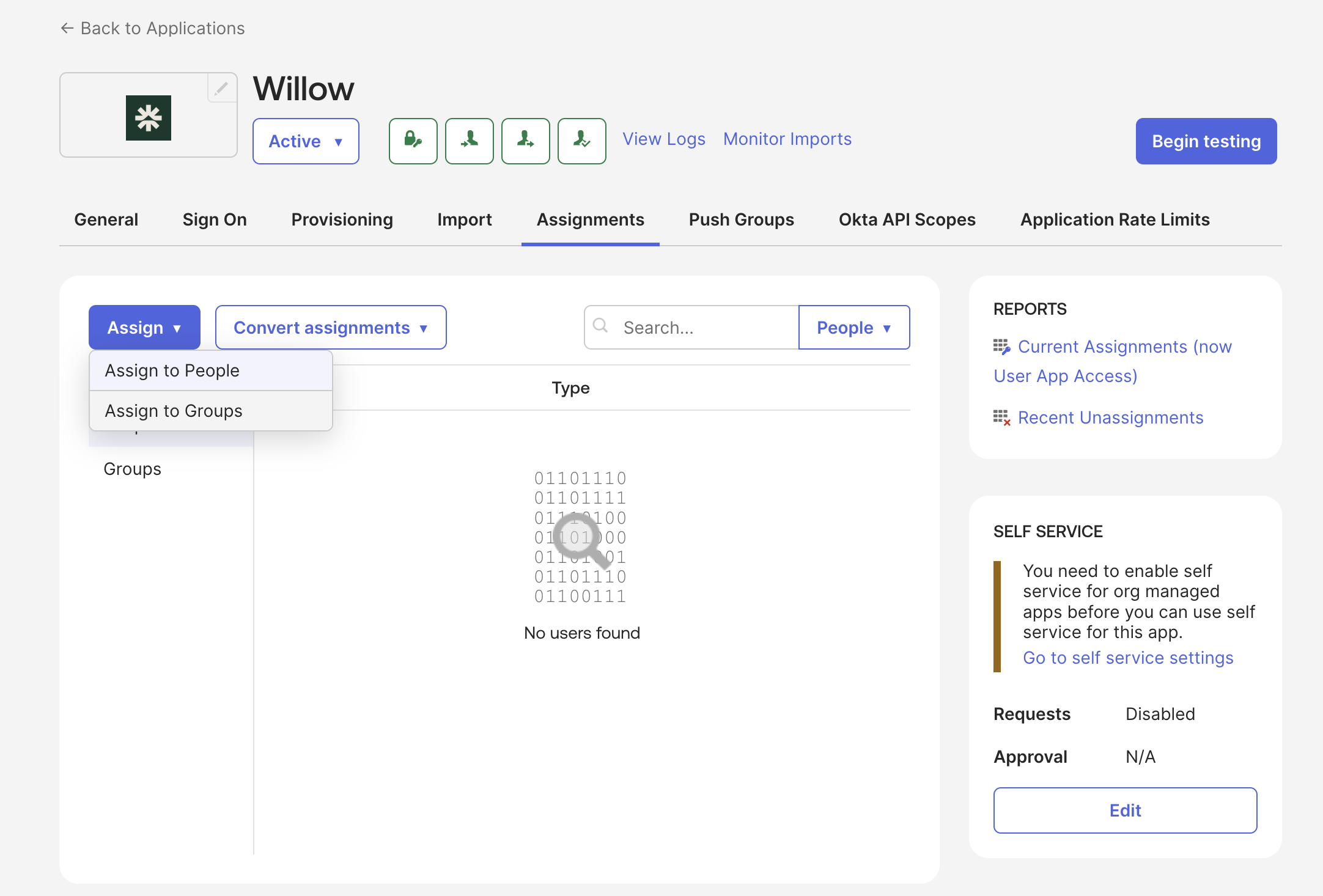
5. Assign users or groups
- Open the Assignments tab
- Select Assign → Assign to Groups
- Assign the groups you want synchronized with Willow
6. Push groups (optional)
Assigning a group in step 5 provisions its users into Willow. This step is only needed if you also want the groups themselves (and their membership) created in Willow.
- Open the Push Groups tab
- Select + Push Groups → Find groups by name
- Add the groups you assigned in step 5
- Select Save
Verification
Once configured, the integration will automatically:
- Provision new users when they are added to assigned groups in Okta
- Update user attributes when they are modified in Okta
- Deactivate users when they are removed from assigned groups
- Sync group membership changes via SCIM
You can verify the sync status in Okta by checking the Provisioning tab logs and monitoring user and group operations.