AI Settings
Connect your own AI provider to power the AI features across Willow, from generating toolkits to summarizing MCP server risk.
What you can do
- Turn on Bring Your Own AI to use your own provider and credentials for AI features
- Choose a provider: OpenAI, Anthropic, Google, or a Custom Endpoint
- Test the connection before saving
Bring Your Own AI
Willow's AI features run on your AI credentials. The Default (AI Gateway) provider does not power them: until you turn on Bring Your Own AI and select one of the real providers with your own key, these features stay off.
Bring Your Own AI powers:
- AI toolkit generation: end users generate a toolkit from a plain-language description with the Add with AI button on their Toolkits page. See Create a Toolkit with AI.
- Risk Assessment summaries: the AI summary on an MCP server's Risk Assessment card.
- Guards: AI-powered content filtering for prompts and responses. See Guards.
- Token optimization: AI-driven reduction of token usage across tool calls. See Token Optimization and Analytics.
- Shadow AI monitoring: detecting unsanctioned AI usage.
- Chat: the in-product AI chat.
Once saved, these features become available across your organization.
To configure it:
-
Open Settings in the admin sidebar.
-
Expand AI Settings.
-
Turn on Bring Your Own AI.
-
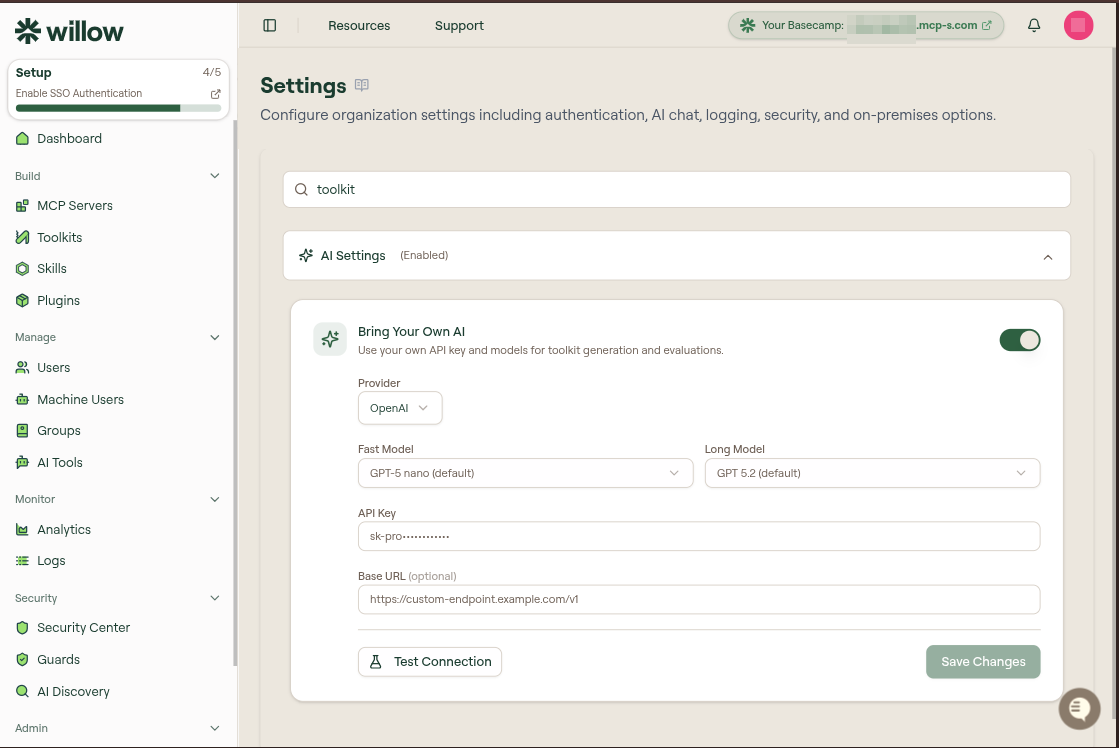
Select a Provider. Choosing Default (AI Gateway) leaves the feature off; pick OpenAI, Anthropic, Google, or Custom Endpoint to use your own credentials.

-
Fill in the credentials for your provider (the fields depend on the provider you chose; see below).
-
Select Test Connection to confirm the credentials work, then select Save Changes. Your configuration does not take effect until you save.
Users then see Add with AI on their Toolkits page. Point them to Create a Toolkit with AI for the steps.
Provider fields
For OpenAI, Anthropic, or Google:
- Fast Model and Long Model: the models used for quick and longer-running generation. The defaults work for most organizations.
- API Key: your provider API key.
- Base URL (optional): route requests through a custom or proxied endpoint.
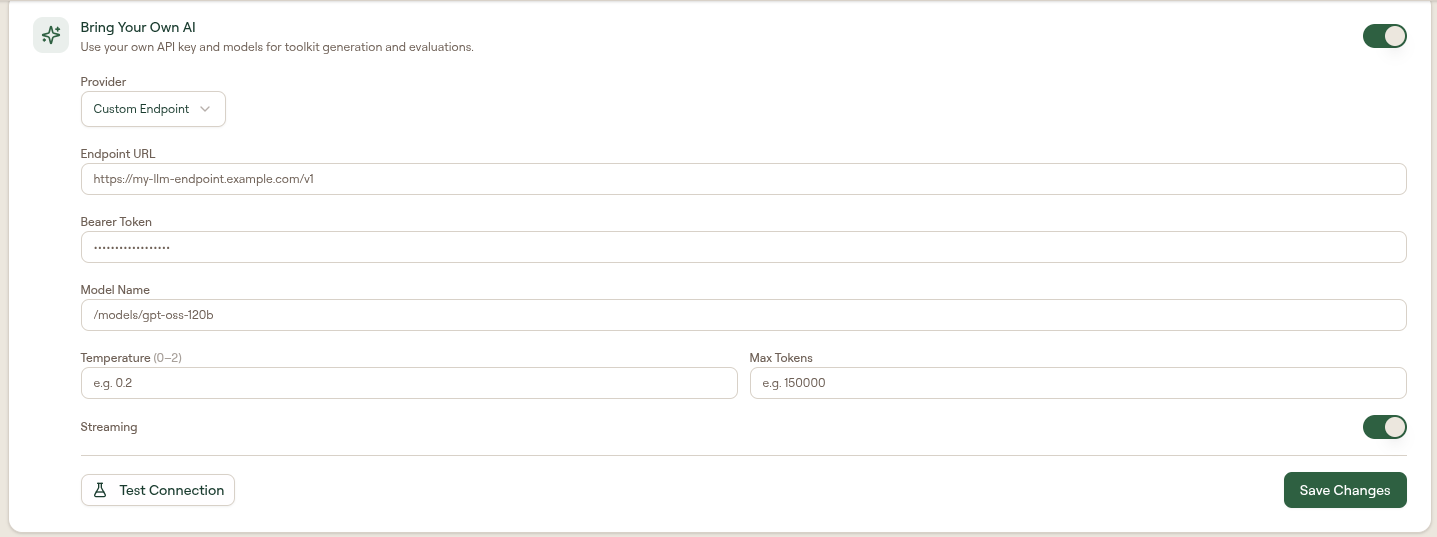
For a Custom Endpoint (any OpenAI-compatible API):
- Endpoint URL: the base URL of your API.
- Bearer Token: the token sent as the authorization credential.
- Model Name: the model identifier to call.
- Temperature (0 to 2) and Max Tokens: optional generation parameters.
- Streaming: toggle streaming responses on or off.
After changing any field, select Save Changes to apply it.