Alerts
Alerts is the in-app inbox for security and discovery events raised across your organization. When a guard blocks, warns, or redacts, or a user requests a new MCP integration, the event lands here.
Alerts is the in-app half of Realtime Notifications. The same events that Willow delivers to a Slack workspace or a webhook are also recorded in this inbox, so you have a record even when no outbound channel is configured.
Where to find it
Alerts is not in the left sidebar. Select the alert icon in the top-right of the dashboard, the siren to the left of the bell. A dot on the icon means you have unacknowledged alerts. The dropdown lists them, or shows No unacknowledged alerts when the inbox is clear.
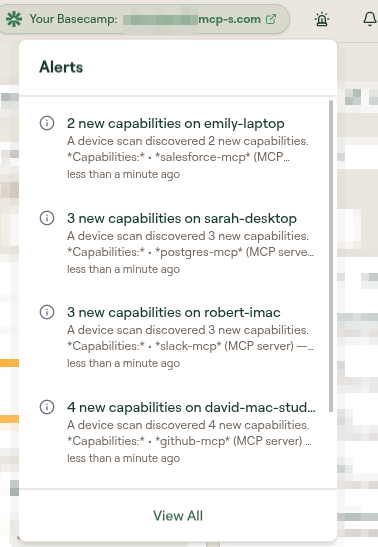
Select View All in the dropdown to open the full page at /alerts.
The bell beside the siren is a different inbox. It opens Notifications at /notifications, which you clear with Mark All as Read rather than by acknowledging. Alerts is the security and discovery inbox described on this page.
The Alerts page
The page lists every alert raised across the organization, newest first, with two filters and a bulk action.
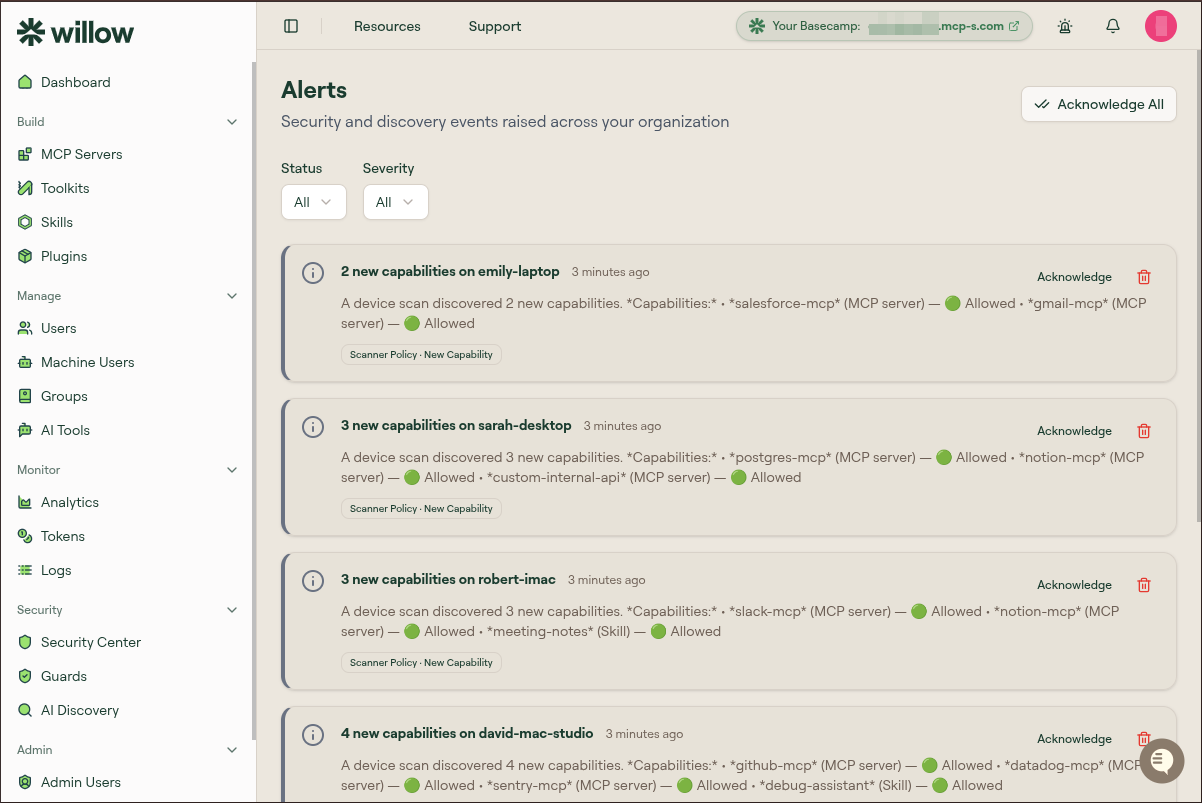
| Control | Values |
|---|---|
| Status | All, Unacknowledged, Acknowledged |
| Severity | All, Critical, High, Medium, Low |
| Acknowledge All | Marks every currently unacknowledged alert as acknowledged |
Severity matches the severity field delivered to webhook channels, so an alert shown as High here arrives as "severity": "high" in the payload.
When no alerts match the current filters, the page shows No alerts found. Long inboxes are paginated, with Previous and Next below the list.
What an alert card shows
Each card carries a title, how long ago it fired, and a description of what happened. A badge names the rule that raised it, for example Scanner Policy · New Capability. Discovery alerts list each capability found and whether it is allowed.
On the right of every card are an Acknowledge action and a delete icon.
Acknowledging alerts
Acknowledge an alert from its card, or use Acknowledge All to clear the inbox after triaging a burst of events.
Acknowledging clears an alert from the bell dropdown but does not remove it. Switch Status to Acknowledged or All to see previously acknowledged alerts. To remove an alert entirely, use the delete icon on its card.
What raises an alert
The page subtitle is the best summary: security and discovery events. Two sources feed the inbox.
Guards and MCP requests. These are the same four event families as Realtime Notifications: Skill Guard, Runtime guard, Prompt guard, and MCP Requests. See What triggers a notification for the full list of event types, and Skill Guard attributes for the extra context carried on skill alerts.
AI Discovery device scans. When a scan turns up AI capabilities Willow has not seen before anywhere in your organization, it raises an alert naming the capabilities and where they were first seen, for example 1 new capability introduced into your org listing a postgres-mcp MCP server first seen on sarah-desktop. Seeing the same capability on another device later does not raise another alert. See AI Discovery.
If no alerts ever appear, check both sources. All guards ship disabled, so a new organization raises no guard alerts until you enable one (see Enable a Guard and See It Fire), and discovery alerts require the scan agent to be deployed.