Guard Providers
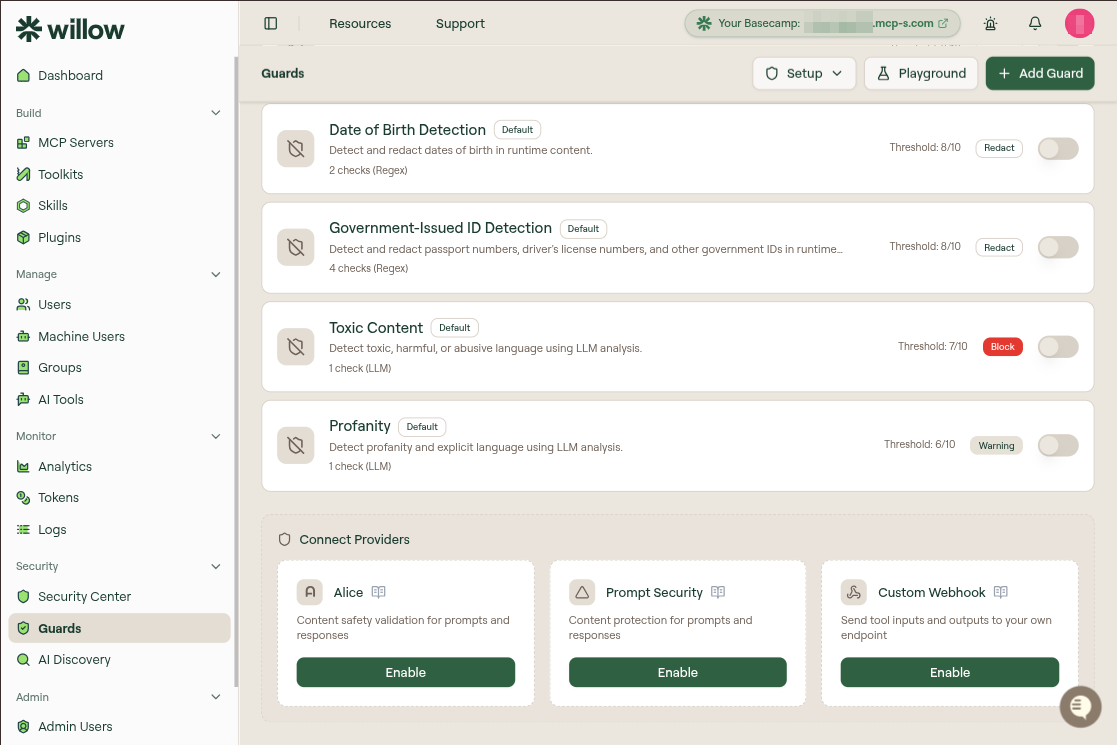
Beyond the built-in guards, Willow can route runtime content through external providers for content safety and custom validation. The Connect Providers cards sit below the runtime guard list on the Control > Guards page. Each card has an Enable button that opens a configuration modal.
| Provider | What it does | Credentials |
|---|---|---|
| Alice | Content safety validation for prompts and responses | API key |
| Prompt Security | Content protection for prompts and responses | Base URL and API key |
| CrowdStrike AIDR | Falcon AI Detection and Response for tool inputs and outputs | Falcon cloud and collector token |
| Custom Webhook | Sends tool inputs and outputs to your own endpoint for validation | Webhook URL |
Providers run in addition to any enabled guards. When more than one is active, all are evaluated in sequence, and the first block stops the call.
Alice
Alice provides real-time content safety validation for prompts and responses. When enabled, tool input parameters and tool responses are validated through Alice's content moderation API before they are processed or returned. If content violates a configured policy, the call is blocked and the user receives a guardrails message. Content policies themselves are configured in your Alice dashboard, not in Willow.
This provider was previously documented as Active Fence. It now appears in Willow as Alice.
Prerequisites
- An Alice account with API access
- An Alice API key
- Admin access to your Willow dashboard
Connect Alice
- In your Alice dashboard, generate or copy your API key and keep it secure.
- In Willow, select Control > Guards.
- Scroll to the Connect Providers section at the bottom of the guards list.
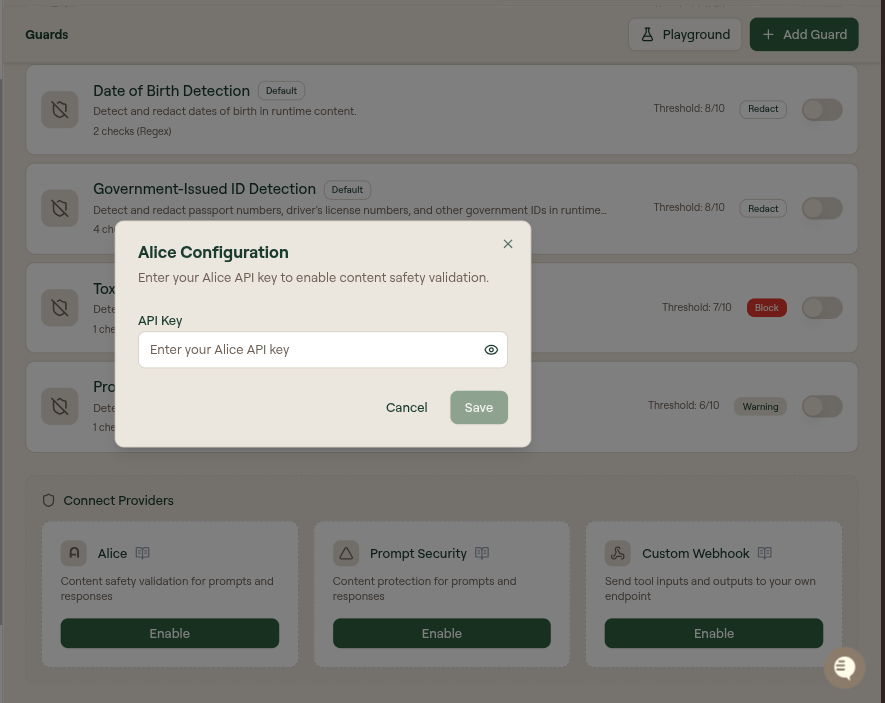
- On the Alice card, select Enable.
- Enter your Alice API key. The key field has a show/hide toggle.
- Select Save before leaving the page.
Once connected, Alice validates every input parameter passed to your MCP tools and every response they return against its content-safety policies. To confirm it is working, check your Alice dashboard for incoming API requests and look for guard validation events in Monitor > Logs. You can disable Alice at any time from Control > Guards; changes take effect immediately.
If Alice's API is unavailable, your Willow gateway keeps functioning as normal, but without Alice validation.
Troubleshooting
- Integration not working: verify the API key is correct and has the right permissions, confirm your Willow gateway can reach Alice's API endpoints, and review Monitor > Logs for guard-related errors.
- Legitimate content is being blocked: content policies are configured in your Alice dashboard, not in Willow. Review your Alice content policies, tune sensitivity with Alice support, or configure exceptions for known-safe content.
Prompt Security
Prompt Security analyzes prompts and responses for risks such as prompt injection, data leakage, and unsafe content, and can block or transform text before it is processed or returned.
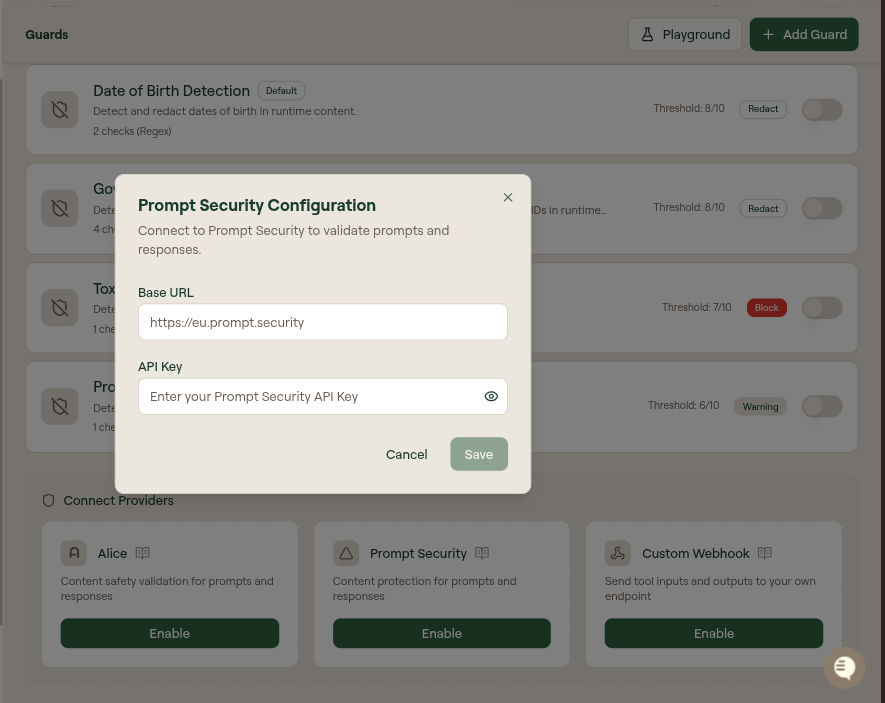
Select Enable on the Prompt Security card to open Prompt Security Configuration, then provide:
| Field | Description |
|---|---|
| Base URL | The regional endpoint for your Prompt Security deployment |
| API Key | Your Prompt Security application ID (used as the API key) |
Use the base URL that matches your region:
| Region | Base URL |
|---|---|
| EU | https://eu.prompt.security |
| US East | https://useast.prompt.security |
| APAC | https://apac.prompt.security |
Willow calls the Protect endpoint at https://[REGION].prompt.security/api/protect. Based on the response, Willow enforces:
- If the result is blocked, the operation is blocked and the user sees a guardrails message.
- Otherwise, if the result is modified, Willow uses the returned modified text in place of the original.
- Otherwise, the original text proceeds unchanged.
CrowdStrike AIDR
CrowdStrike AI Detection and Response (AIDR) checks AI traffic for prompt injection, sensitive data, secrets, and other risks defined in a Falcon policy. Willow sends every tool input and tool output to an AIDR Application collector, and AIDR's policy decides whether the call is allowed, redacted, or blocked. Detection rules live in Falcon, not in Willow.
Prerequisites
- An AIDR for Agents subscription on the US-1, US-2, or EU-1 Falcon cloud
- A Falcon user with the AIDR Admin role
- Admin access to your Willow dashboard
Create a collector in Falcon
- In the Falcon console, open AI detection and response > Collectors.
- Select + Collector, choose Application as the type, then select Next.
- Name the collector (for example,
Willow), pick a Logging option, and assign a policy.Application Monitoronly reports; pick a policy with block or redact rules to enforce them. - Select Save, then copy the collector token from the Config tab.
Connect CrowdStrike AIDR
- In Willow, select Control > Guards.
- On the CrowdStrike AIDR card, select Enable.
- Pick the Falcon cloud your tenant runs on: US-1, US-2, or EU-1.
- Paste the Collector token.
- Select Save.
To confirm it is working, call any tool, then open Findings on the collector in Falcon. Events appear with Application Name Willow, the user's email as the user, and the MCP server and tool under the event's extra info.
What Willow sends
Willow calls POST /aidr/aiguard/v1/guard_chat_completions on your cloud's API host (api.crowdstrike.com, api.us-2.crowdstrike.com, or api.eu-1.crowdstrike.com) once before the tool runs and once after:
| Stage | event_type | Sent as |
|---|---|---|
| Tool input | input | An assistant message with a tool_calls entry whose arguments are the tool's input |
| Tool output | output | A tool message with the tool's result |
Your collector's Input Policy applies to tool inputs and its Output Policy to tool outputs. Based on AIDR's response, Willow enforces:
- If
blockedis true, the call is blocked. When the policy rule has a custom message, the user sees it. - Otherwise, if
transformedis true, Willow continues with AIDR's redacted content in place of the original. - Otherwise, the call proceeds unchanged.
If AIDR is unreachable, times out, or the payload is larger than AIDR's 1 MiB limit, the call proceeds without AIDR's verdict. Block and redact events appear in Monitor > Logs as CrowdStrike AIDR.
Custom Webhook
The Custom Webhook provider sends tool inputs and outputs to an endpoint you control, letting you implement any validation logic: policy checks, PII masking, rate limiting, business-hours rules, or anything else. Willow calls your webhook at two stages, before tool execution (input) and after (output).
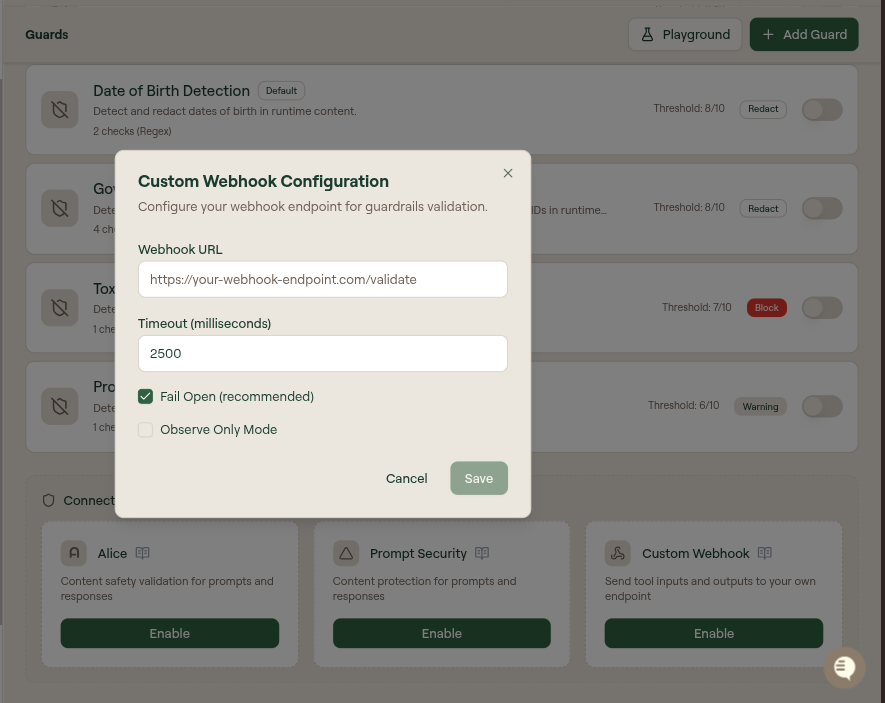
Select Enable on the Custom Webhook card to open Custom Webhook Configuration:
| Field | Description |
|---|---|
| Webhook URL | Your HTTPS endpoint, for example https://your-webhook-endpoint.com/validate |
| Timeout (milliseconds) | Maximum time to wait for a response (default 2500) |
| Fail Open (recommended) | When checked, calls are allowed if the webhook times out or errors. Uncheck to fail closed and block on failure. |
| Observe Only Mode | When checked, requests are sent but responses are not enforced, so no call is ever blocked. Use it to test your endpoint. |
Request format
Willow sends a POST request with the tool context and payload. The stage field is "input" before execution and "output" after:
{
  "action": "tool_call",
  "stage": "input",
  "user": { "email": "user@example.com" },
  "mcpClient": "claude-desktop",
  "toolkit": "mcp-toolkit",
  "transport": "http",
  "integration": {
    "slug": "slack-integration",
    "name": "Slack",
    "connectorId": "slack",
    "authType": "oauth2"
  },
  "tool": {
    "name": "send_message",
    "arguments": { "channel": "#general", "text": "Hello team!" }
  },
  "payload": { "channel": "#general", "text": "Hello team!" }
}
Key fields: stage (input or output), user.email, mcpClient, transport, integration, tool.name, tool.arguments, and payload (the data sent to, or received from, the tool).
Response format
Your webhook must respond with an action:
{
  "action": "allow",
  "logData": { "code": "validation_passed", "details": {} }
}
| Field | Description |
|---|---|
action | One of allow, block, transform, or warn |
payload | Required when action is transform: the data to use in place of the original |
logData.code | Optional classification code stored in audit logs (for example, pii_masked) |
logData.details | Optional additional context to log |
Action types:
allowproceeds with the original payload.blockstops the call and returns an error to the user.transformreplaces the payload with the value you return.warnallows the call but logs a warning for review.
Failure behavior
If your webhook is unreachable, times out, or returns an invalid response, Willow applies your Fail Open setting: fail open allows the call, fail closed blocks it. In Observe Only Mode, calls are always allowed and responses are not awaited, which makes it the safe way to test a new endpoint before enforcing it.