Guards Playground
Use Guards Playground to test sample content against a guard. Results include the decision, score, matched text, and results for each check.
Open the Playground
Select Playground from the Control > Guards header, from the Build-time tab, or from the header of any guard editor.
Set up a test
The panel mirrors the two guard categories with Runtime and Build-time tabs. Select the one you want to test.
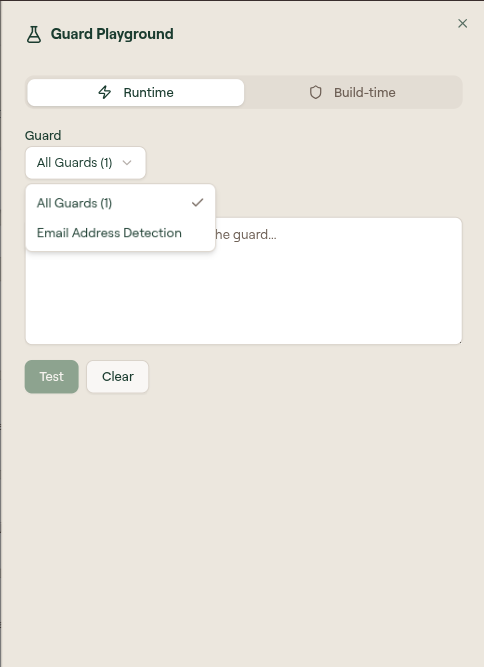
Use the Guard dropdown to choose what to test against:
- All Guards runs the content through every enabled guard in that category.
- Selecting a specific guard, such as Email Address Detection, tests only that one. Badges show its threshold, action, and check count.
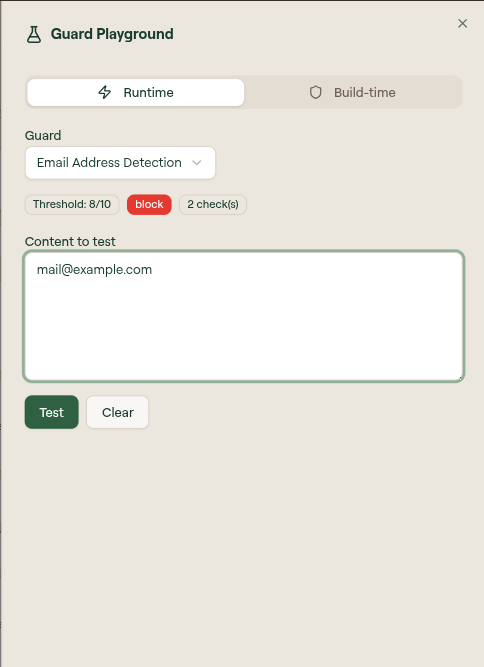
Below the guard selector, Single and Batch (CSV) choose how much you are testing at once. Single is the default.
On Single, enter the text you want to evaluate in Content to test, then select Test. Select Clear to reset the input and results.
Read the result
After you run a test, the panel shows an Output section and a result summary.
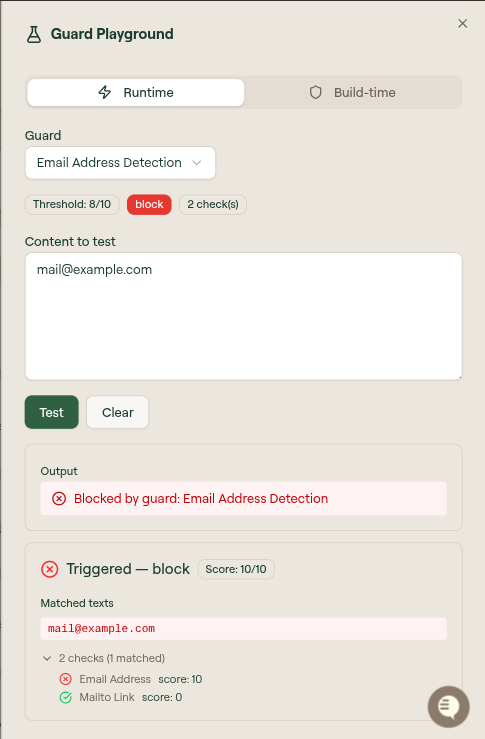
For content that fires the guard:
- Output states the decision, for example
Blocked by guard: Email Address Detection. - The result reads Triggered, with the action (such as block) and a Score out of 10.
- Matched texts lists the exact strings that matched.
- The per-check breakdown (for example,
2 checks (1 matched)) shows each check with its own score, so you can see which check drove the decision. In the example, the Email Address check scored 10 and the Mailto Link check scored 0, giving the guard a score of 10/10 against its 8/10 threshold.
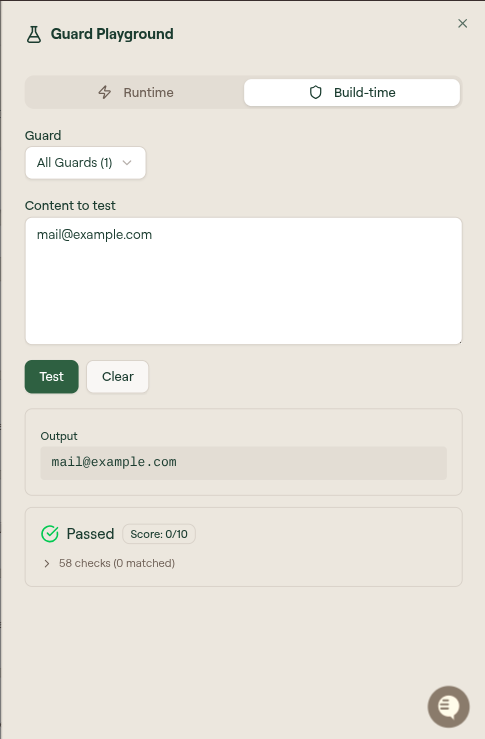
For content that does not fire, the result reads Passed with a score below the threshold and 0 matched checks:
Test many inputs at once
Use Batch (CSV) to test multiple inputs against a guard.
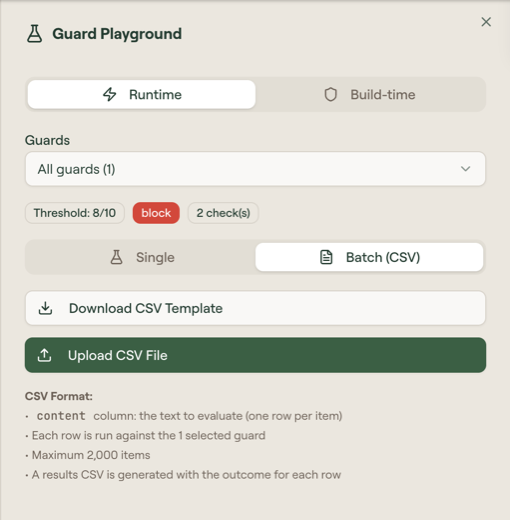
- Select Batch (CSV).
- Select Download CSV Template to get the expected shape.
- Fill in the
contentcolumn, one input per row. - Select Upload CSV File.
Willow generates a results CSV with the score and outcome for each row.
A batch is capped at 2,000 items.
Iterate
If a guard fires when it should not, or misses content it should catch, adjust it and test again:
- Tune the threshold to change sensitivity.
- Edit, add, or disable individual checks. See Guard check types.
- Re-run the same input until the decision is what you want.