MCP Context
MCP Context ranks MCP servers by their context token footprint. This footprint comes from tool descriptions and input schemas that the agent sees before calling a tool.
Open Monitor > Tokens. On the Dashboard tab, select the MCP Context card under Context health. The card shows the total, and how many servers are over the recommended budget of 3.0K tokens per server.
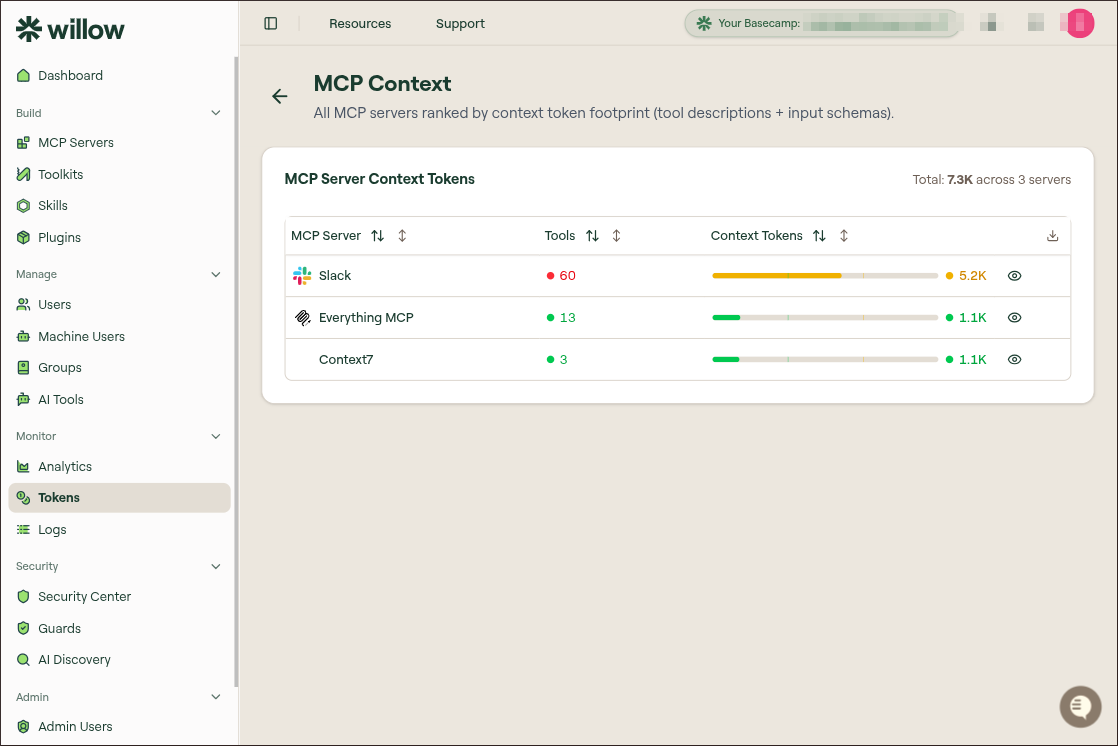
Table columns
| Column | Description |
|---|---|
| MCP Server | The server whose tools contribute context. |
| Tools | Number of tools exposed by the server. |
| Context Tokens | Estimated context footprint from tool descriptions and input schemas. |
| View | Opens a detail drawer with individual tool descriptions and schema sizes. |
| Download | Exports the table. |
High tool count is not always a problem by itself. The best candidates for optimization are servers with both many tools and a large context-token bar.
Inspect a server
Select the view icon on a server row to open the detail drawer. The drawer lists individual tools with description-token and schema-token estimates.
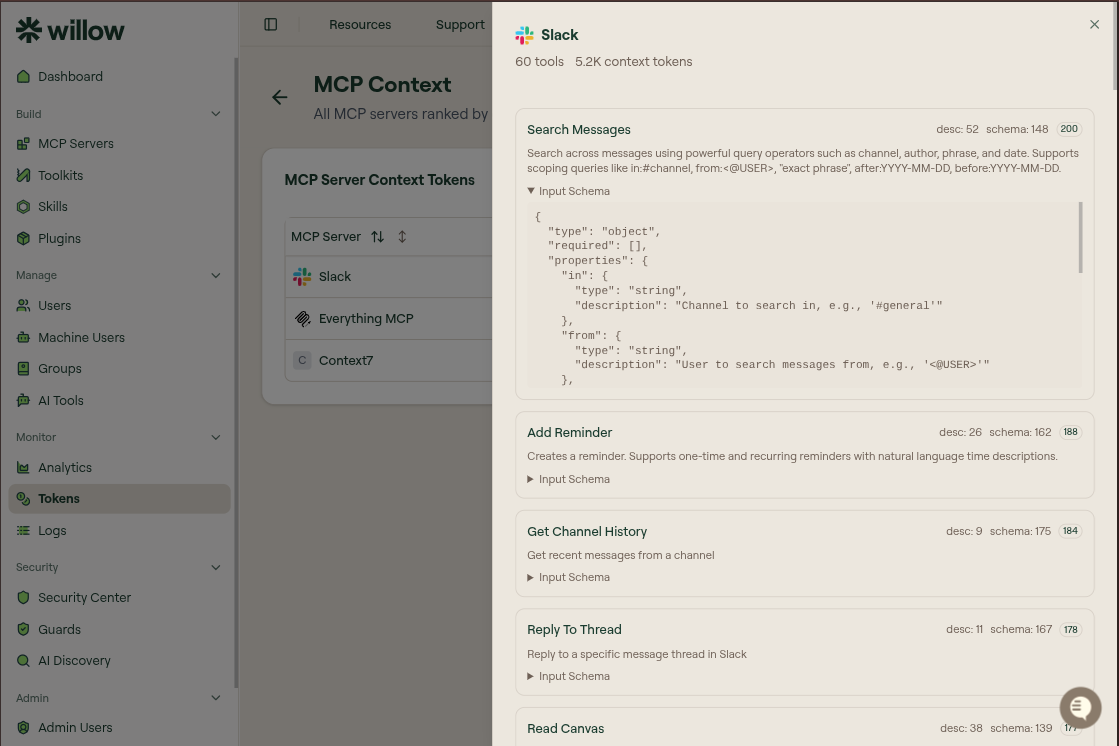
Use this drawer to identify tools with long descriptions, large schemas, or tools that should not be exposed to every workflow.
Reduce MCP context
To reduce MCP context:
- Identify servers with the largest context footprint.
- Review which tools users actually need for a workflow.
- Create a focused toolkit with only those tools.
- Assign the toolkit to the relevant users or agents.
- Disable or avoid exposing unnecessary high-context tools where possible.
This is especially useful for broad connectors such as Slack, GitHub, or internal platform MCP servers that expose many unrelated tools.