Plugin Components Reference
A plugin bundles components. On the plugin edit page, each component type has its own collapsible section where you add existing items or create new ones inline. This page documents every component type and its fields.
| Component | What it provides |
|---|---|
| Skills | Markdown knowledge files with optional scripts, references, and assets. |
| Toolkits | Curated selections of tools from your MCP servers, plus prompts and resources. |
| Commands | Slash-commands (for example, /deploy) with typed arguments. |
| Rules | Always-apply or glob-scoped rules that guide agent behavior. |
| Hooks | Event-driven automations triggered on agent lifecycle events. |
| Sub-Agents | Dedicated agents with their own model, scope, and tool permissions. |
| MCP Servers | Existing integrations from your organization's MCP server list. |
| Custom MCP Servers | Raw MCP server JSON included directly in the plugin's .mcp.json. |
Skills, Toolkits, and MCP Servers are added by searching your existing organization entities. Skills can also be created inline using the same fields as Create and Publish a Skill. The forms below cover the components you create directly on the plugin.
Commands
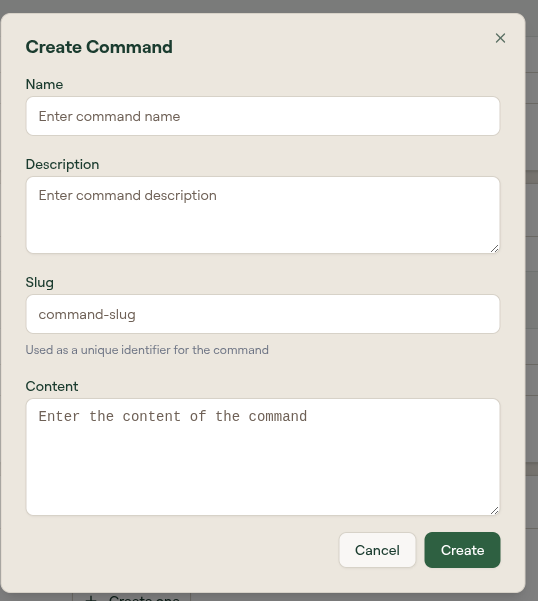
Select + in the Commands section to create a slash-command.
| Field | Description |
|---|---|
| Name | Display name of the command. |
| Slug | The command invoked by the agent (for example, deploy). |
| Description | What the command does. |
| Content | The command body. |
Rules
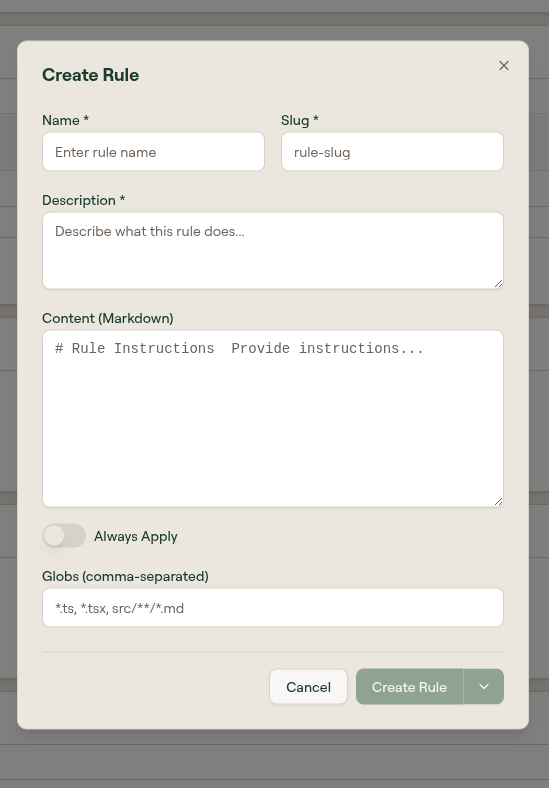
Rules guide agent behavior, either always or when editing files that match a glob.
| Field | Description |
|---|---|
| Name | Display name of the rule. |
| Slug | URL-safe identifier. |
| Description | What the rule does. |
| Content (Markdown) | The rule instructions. |
| Always Apply | When on, the rule applies to every interaction. When off, it applies only to files matching Globs. |
| Globs (comma-separated) | File patterns that scope the rule, for example *.ts, *.tsx, src/**/*.md. |
Hooks
Hooks run a command in response to an agent lifecycle event.
| Field | Description |
|---|---|
| Name | Display name of the hook. |
| Slug | URL-safe identifier. |
| Description | What the hook does. |
| Event | The lifecycle event that triggers the hook (see below). |
| Type | The hook type, such as Command. |
| Matcher | Optional filter that narrows when the hook fires (for example, a specific tool). |
| Command | The command to run when the hook fires. |
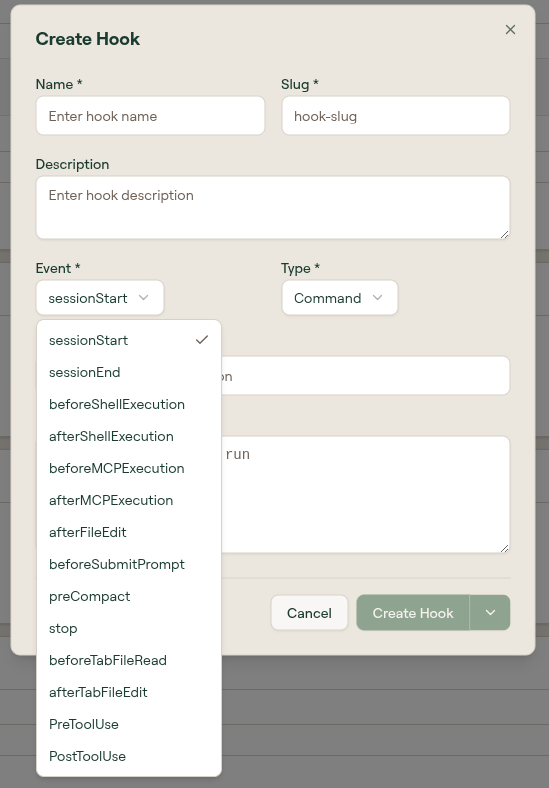
The Event dropdown includes:
sessionStart, sessionEnd, beforeShellExecution, afterShellExecution, beforeMCPExecution, afterMCPExecution, afterFileEdit, beforeSubmitPrompt, preCompact, stop, beforeTabFileRead, afterTabFileEdit, PreToolUse, PostToolUse.
Sub-Agents
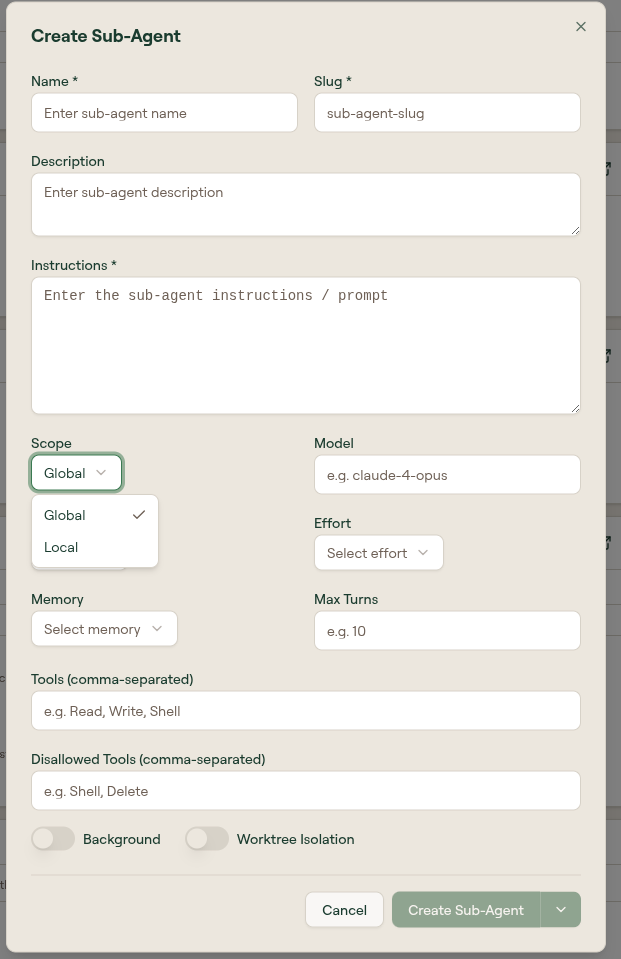
Sub-agents are dedicated agents with their own model, scope, and tool permissions.
| Field | Description |
|---|---|
| Name | Display name of the sub-agent. |
| Slug | URL-safe identifier. |
| Description | What the sub-agent is for. |
| Instructions | The sub-agent's system prompt. |
| Scope | Global or Local. |
| Model | The model the sub-agent runs on (for example, claude-4-opus). |
| Effort | Reasoning effort level. |
| Memory | Memory mode for the sub-agent. |
| Max Turns | Cap on the number of turns the sub-agent runs. |
| Tools (comma-separated) | Tools the sub-agent is allowed to use (for example, Read, Write, Shell). |
| Disallowed Tools (comma-separated) | Tools the sub-agent is blocked from using. |
| Background | When on, the sub-agent runs in the background. |
| Worktree Isolation | When on, the sub-agent runs in an isolated git worktree. |
Custom MCP Servers
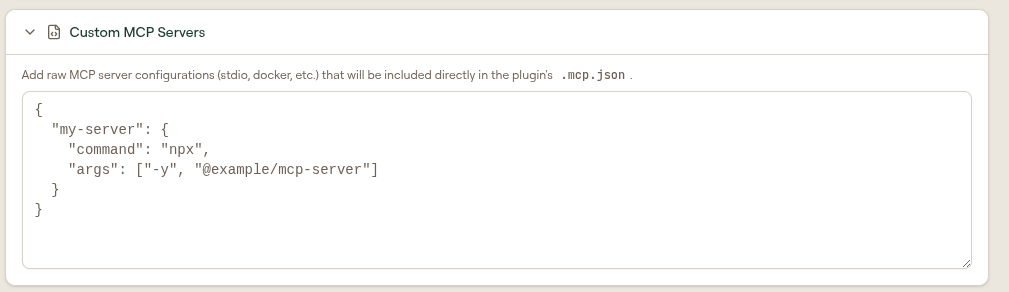
Use the Custom MCP Servers section to paste raw MCP server JSON (stdio, docker, and similar) that is included directly in the plugin's .mcp.json. Use this for servers that are not in your organization's MCP server list.
What to do next
- Create a Plugin: create one and add components
- Distribute a Plugin: publish, download, and sync