Plugin Settings
Plugin Settings configures organization-wide plugin behavior. Open it by selecting Plugins Settings, or the gear icon, on the Plugins list page.
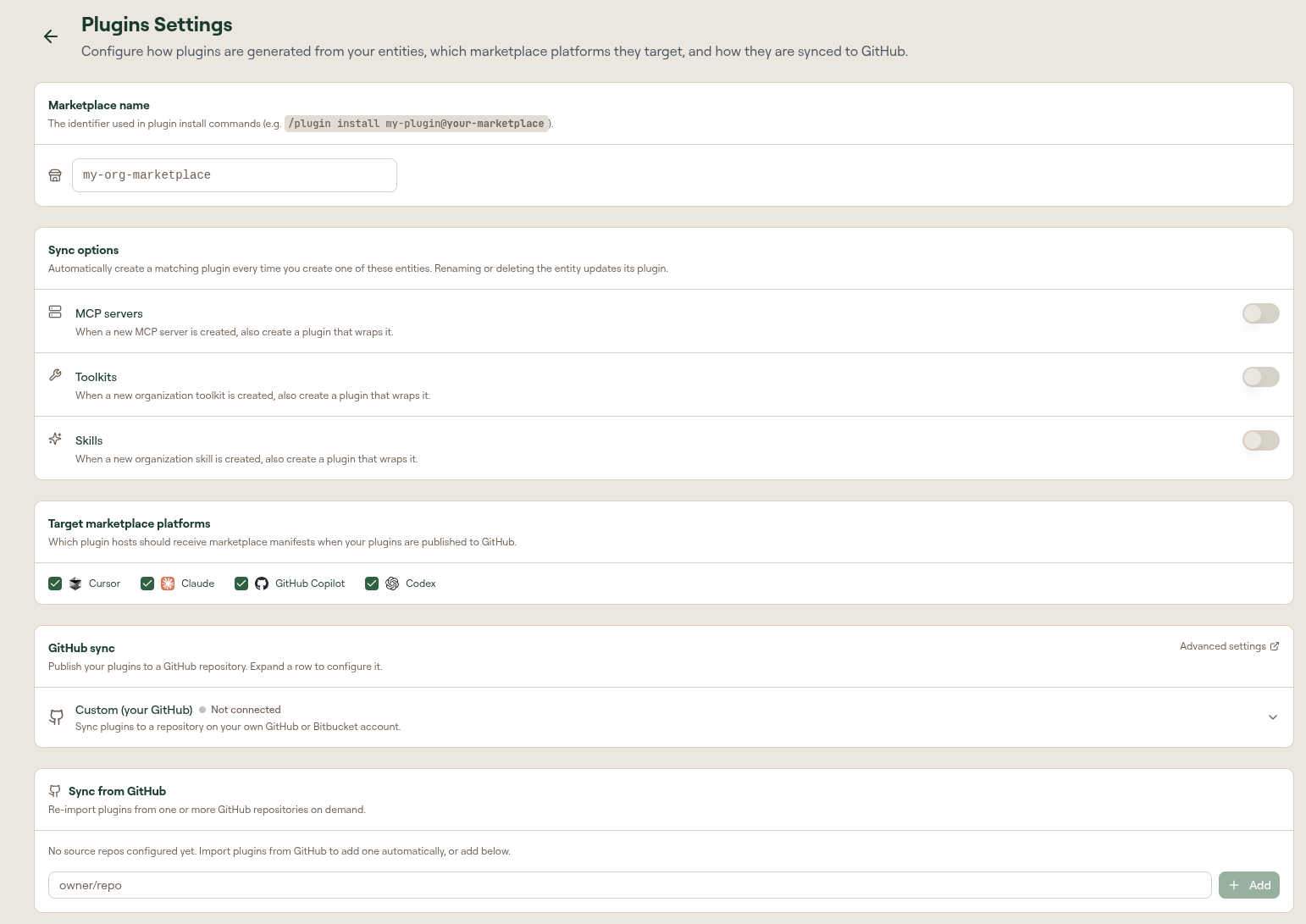
Marketplace name
A human-readable identifier used in the install commands generated for end users (for example, /plugin install my-plugin@<marketplace-name>).
Sync options
Control whether a wrapper plugin is created automatically when you add certain entities. Renaming or deleting the entity updates its plugin.
| Toggle | Effect |
|---|---|
| MCP Servers | Creating an MCP server also creates a plugin that wraps it. |
| Toolkits | Creating an organization toolkit also creates a plugin that wraps it. |
| Skills | Creating an organization skill also creates a plugin that wraps it. |
Target marketplace platforms
Select which platforms the organization targets by default: Cursor, Claude, GitHub Copilot, Codex, and OpenCode. Individual plugins can override this from their edit page.

OpenCode has no plugin-marketplace concept, so instead of a marketplace.json it receives an OpenCode-native layout (.opencode/skills, .opencode/commands, .opencode/agents, and a root opencode.json for MCP servers). See Adding Your Marketplace to OpenCode.
GitHub sync
Two mechanisms are available and can run side by side:
- Managed (Willow-hosted): a private GitHub repo maintained by Willow. See Managed Marketplace Sync.
- Custom (your GitHub): your own GitHub Integration with configurable sync modes, branches, and webhooks.
Sync from GitHub
Import plugins from one or more external GitHub repositories, with optional daily auto-sync. See Sync Plugins from GitHub.
Custom install command
Configure the Custom Plugin Install Command under Settings > End-User Settings. It overrides the install command shown to users with a JSONata expression per platform. See End-User Settings.
The JSONata expression receives an env object with platform, pluginSlug, pluginName, pluginVersion, marketplaceName, and downloadUrl.