Register a custom agent platform
Use this guide when a runtime is already installed and you want Willow to manage agents on it. To install Willow's Kubernetes harness first, use the operator deployment guide.
You need permission to edit background-agent organization settings and the connection details from your runtime operator.
Add the platform
- Open Build > Background Agents and select the settings gear.
- Under Agent Types, select Add custom type.
- Enter a Name and Description for the runtime.
- Choose delivery and configure the connection below.
- Select Create. The new type appears in Agent Types and uses the API platform value
custom-managed.
Choose delivery
Push delivery
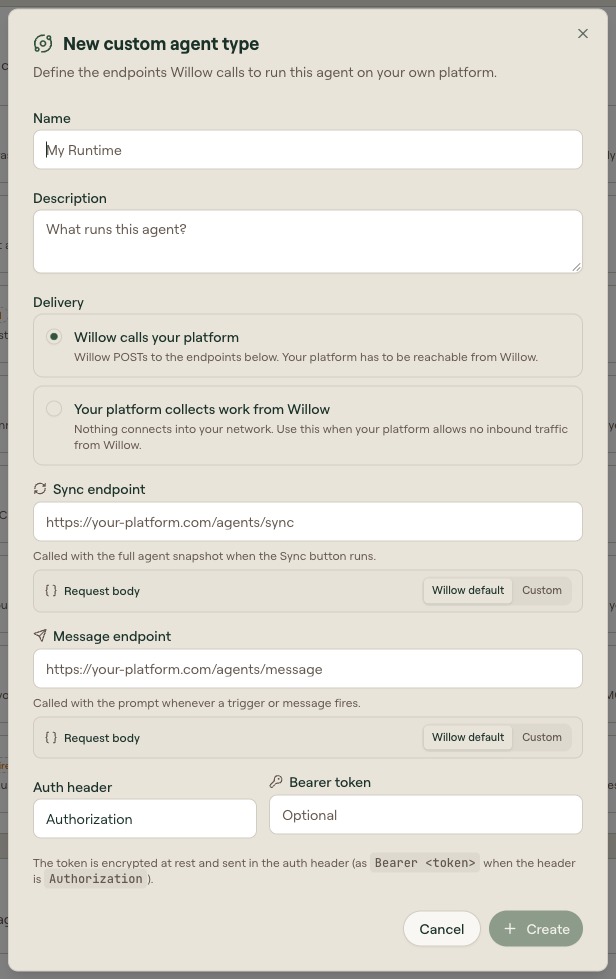
For Willow calls your platform, obtain the runtime's sync and message URLs and authentication configuration:
| Field | Value to supply |
|---|---|
| Sync endpoint | The URL that accepts the agent definition. |
| Message endpoint | The URL that accepts a conversation turn. |
| Auth header | The header expected by the runtime, normally Authorization. |
| Bearer token | The shared token supplied by the operator, if required. |
Keep Willow default for each request body when the runtime implements Willow's contract. Use Custom templates or JSONata only when it expects a different shape; see Custom request bodies and Harness delivery API.
Pull delivery
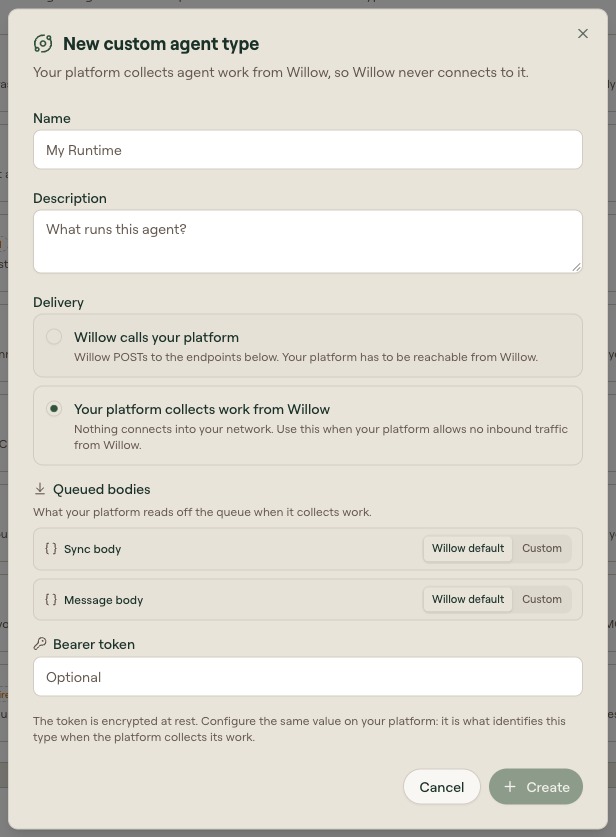
For Your platform collects work from Willow, register the name and shared token used by your pull-mode runtime. The endpoint fields are not required. The Kubernetes administrator guide describes that runtime's values.
Verify the connection
Create an agent using the new type, configure its instructions and tools, and deploy and test it. Confirm the runtime receives the definition and processes a test message.
In pull mode, a pending Waiting for platform state must resolve after collection and acknowledgement. If it remains pending, ask the operator to inspect the runtime's collection logs and authentication.