Install Plugins from Connect
A plugin bundles skills, tools, rules, and more into a single unit your coding agent can install at once. When your admin publishes plugins, you can browse and install them straight from the Connect portal.
If Plugins is missing from the Connect sidebar, ask your admin to enable it under End-User Settings > Sidebar Pages.
Open the Plugins page
Click Plugins in the Connect sidebar.
Browse and install
The Plugins page lists published plugins available to you. Each card shows the plugin name, version, and a count of the components it bundles (skills, tools, rules, and commands).
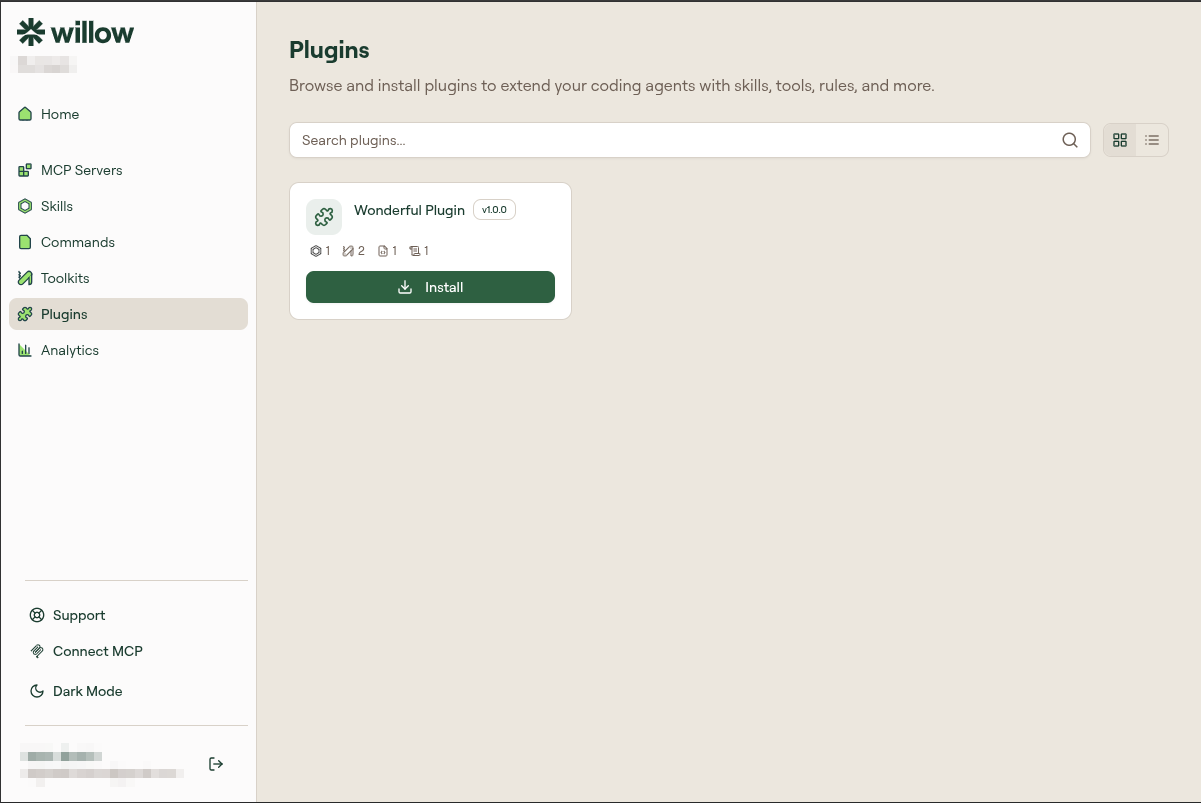
- Use the search field to find a plugin, or switch between grid and list views with the toggle at the top right.
- Click Install on the plugin you want.
- Follow the prompt to add it to your coding agent.
The plugin's skills, tools, rules, and commands become available in your agent once installed.
Add your own plugin
Your admin must allow plugin imports for Add Plugin to appear at the top of the Plugins page.
- Click Add Plugin.
- Choose Upload .zip / .plugin to upload a plugin archive from your computer, or From GitHub to import from a repository.
If you choose From GitHub:
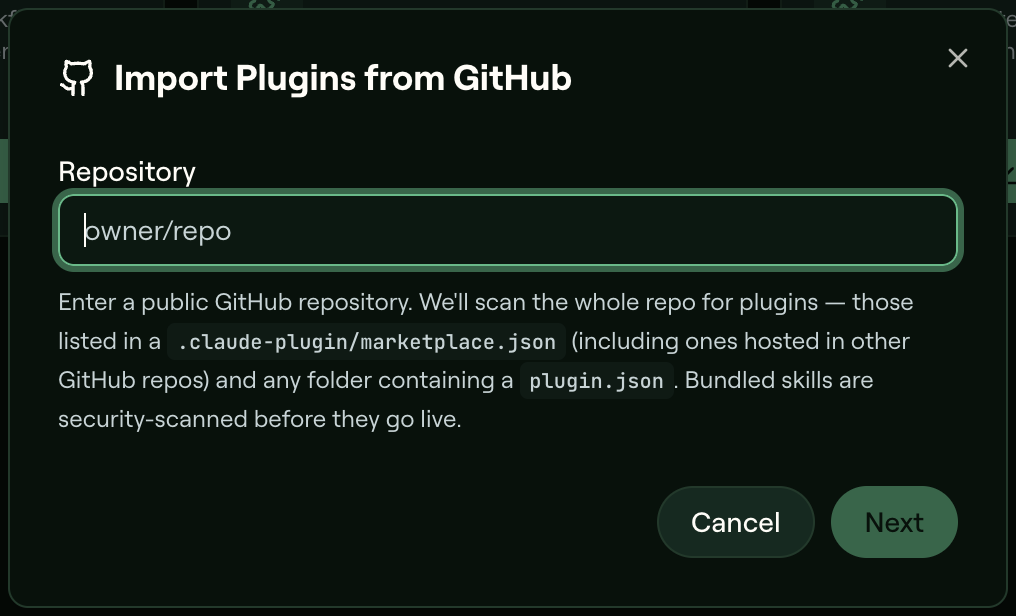
- In Import Plugins from GitHub, enter a public repository as
owner/repo(a fullhttps://github.com/owner/repoURL also works) and click Next. - Willow searches the repository for plugins listed in
.claude-plugin/marketplace.json, including ones hosted in other GitHub repositories, and folders containingplugin.json. - Select the plugins to import. Select Replace plugins that already exist to overwrite one with the same name.
- Click Import (the button shows how many plugins you selected).
Every skill bundled in a plugin goes through the same guard check and AI risk scan as a skill you add on its own, whether you upload an archive or import from GitHub. If the guard policy blocks a skill, the whole plugin is rejected. If your admin's review policy holds a skill for approval, the import result shows Pending review next to the plugin.
Delete a plugin you added
You can delete plugins you added yourself. Organization plugins are managed by admins, so they have no delete option for you.
- On the plugin's card, open the actions menu (the three dots, Plugin actions).
- Select Delete, then confirm.
Only the plugin itself is deleted. Skills, commands, and rules that came with it are kept, and you can delete them separately.